BENGALURU INDIA

Prep-Self Assessment Programme
American Academy of Pediatrics App
Designed for pediatric doctors for annual
tests and examinations.
UX/UI Case Study
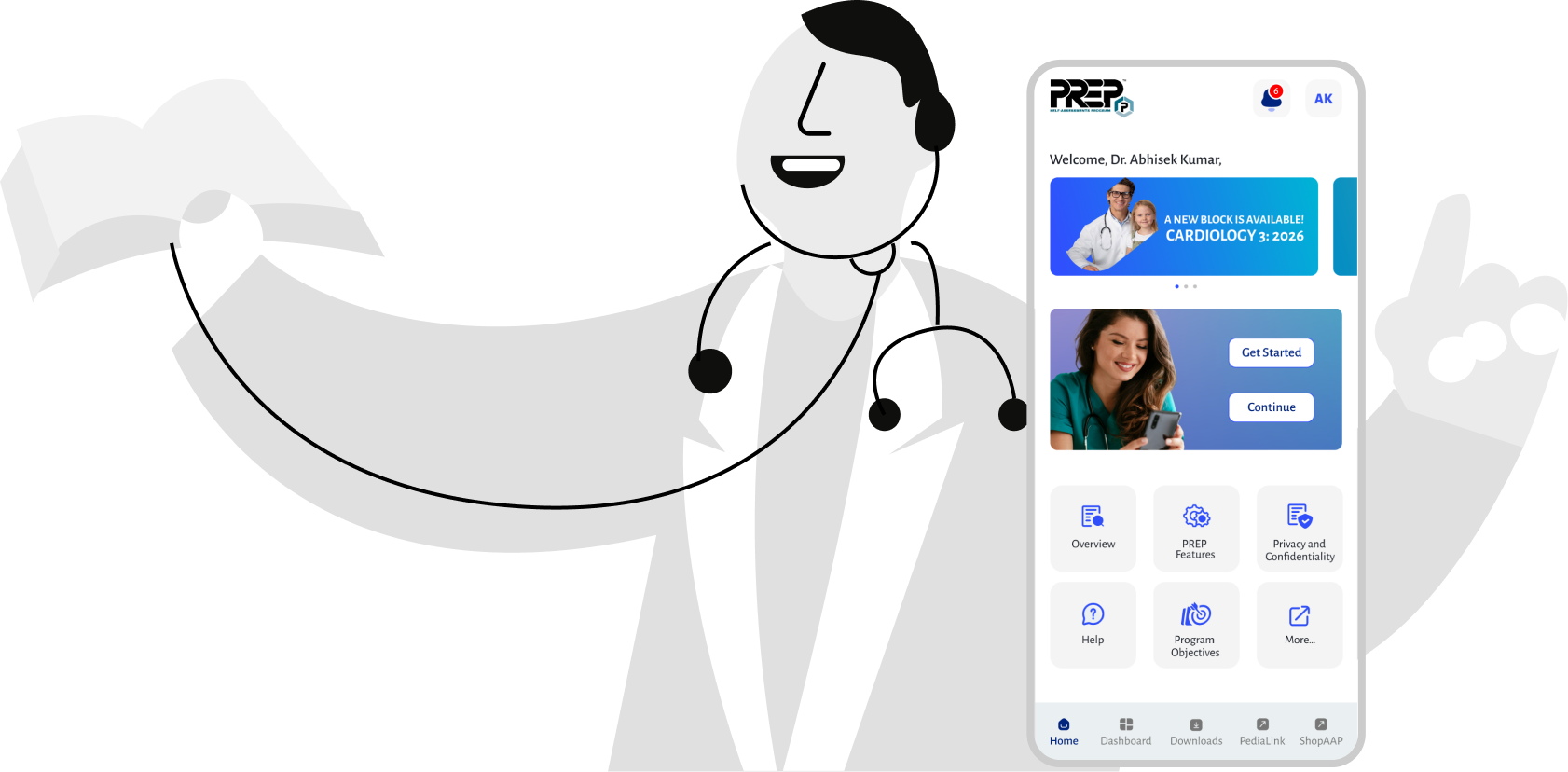
About Project
Project Overview
PediAssess is a mobile-first self‑assessment and clinical readiness app designed for pediatricians. The app helps doctors periodically evaluate their knowledge, diagnostic accuracy, and adherence to updated pediatric guidelines through structured assessments, case-based questions, and performance insights.
Goal
The goal was to create a fast, reliable, and low-cognitive-load experience that fits naturally into a pediatrician’s busy workflow.
Tools Used




Discover
Problem Identified (Findings)
Time Constraint – Pediatricians have very limited time.
Fragmented Self-Evaluation – Progress is spread across multiple platforms.
High Cognitive Load – Complex language and cluttered layouts slow users down.
No Immediate Feedback – Correct and incorrect answers aren’t instantly clear.
No Progress Tracking – Long-term improvement is hard to measure.
Poor Mobile Usability – Tools don’t work well on small screens.
Low Trust – Unclear guideline sources reduce confidence.
Fear of Judgment – Tools feel evaluative instead of supportive.
Making Solution
Quick Assessments – Short, time-bound tests that can be completed in minutes.
Unified Dashboard – One place to view all assessments and progress.
Clean, Simple UI – Plain language with a distraction-free layout.
Instant Feedback – Clear correct/incorrect indicators after each question.
Progress Tracking – Yearly and periodic performance insights.
Mobile-First Design – Optimized for small screens and on-the-go use.
Trusted References – Questions linked to verified pediatric guidelines.
Supportive Tone – Feedback focused on learning, not judgment
User Journey
Scenario: Pediatrician completing a quick self-assessment
Stage
Discover
Select
Answer
Feedback
Review
Track
Learn
Exit
User Action
Opens PediAssess
during a short break
Chooses a short assessment
Responds to case-based questions
Views correct / incorrect indicators
Checks results summary
Views progress history
Opens guideline reference
Leaves app feeling confident
User Thinking / Feeling
“I only have a few minutes.”
“This looks manageable.”
“Easy to read, no clutter.”
“I know instantly where I stand.”
“What should I improve?”
“Am I improving over time?”
“I trust this source.”
“That was quick and useful.”
UX Solution
Clear entry point with quick assessment option
Time-bound assessments (5–10 mins)
Simple language and clean layout
Immediate, clear feedback
Strengths & improvement highlights
Progress tracking and trends
Verified pediatric guideline links
Supportive tone and no judgment

Name: Dr. Ananya SharmaAge: 38Role: Senior PediatricianExperience: 12+ yearsWork Environment: Private clinic & hospital rounds
User Persona
Goals
- Stay updated with pediatric guidelines
- Quickly assess clinical knowledge
- Identify areas for improvement
Pain Points
- Very limited time between patients
- Existing assessments feel lengthy and academic
- No simple way to track long-term progress
Behaviors
- Uses mobile apps during short breaks
- Prefers clear, factual information
- Avoids tools that feel judgmental
Needs
- Short, focused assessments
- Instant and trustworthy feedback
- Mobile-friendly, distraction-free experience
Quote
“I want something quick and reliable that helps me improve, not test me.”
Secondary User Persona
Goals
- Build confidence in clinical decision-making
- Prepare for exams and evaluations
- Learn from real pediatric cases
Pain Points
- Difficulty identifying knowledge gaps
- Limited guidance after assessments
- Overwhelmed by textbooks and long resources
Behaviors
- Uses mobile apps for quick learning
- Revisits topics after shifts or rounds
- Looks for trusted guideline references
Needs
- Case-based, bite-sized assessments
- Clear explanations for correct and incorrect answers
- Progress tracking to measure improvement
Quote
“I need quick assessments that help me learn and improve my confidence.”

Name: Dr. Rohan MehtaAge: 28Role: Pediatric ResidentExperience: 2–3 yearsWork Environment: Teaching hospital & OPD rotations
Says
- “I don’t have much time between patients.”
- “I need reliable and up-to-date guidance.”
- “I don’t want to feel tested or judged.”
- “I need more confidence in my decisions.”
- “I want to know what I got wrong and why.”
- “Textbooks are too overwhelming.”
Thinks
- Am I fully up to date with the latest guidelines?
- Where are my weak areas?
- Is this tool worth my limited time?
- Am I prepared enough for exams and rounds?
- How do I improve faster?
- Can I trust this information?
Does
- Uses apps during short breaks
- Skips long or complex assessments
- Quickly scans results instead of deep analysis
- Uses learning apps after shifts
- Revisits topics repeatedly
- Looks for explanations and references
Feels
- Time-pressured
- Responsible for patient outcomes
- Relieved when feedback is clear and supportive
- Anxious about performance
- Motivated to improve
- Encouraged by clear guidance and progress tracking
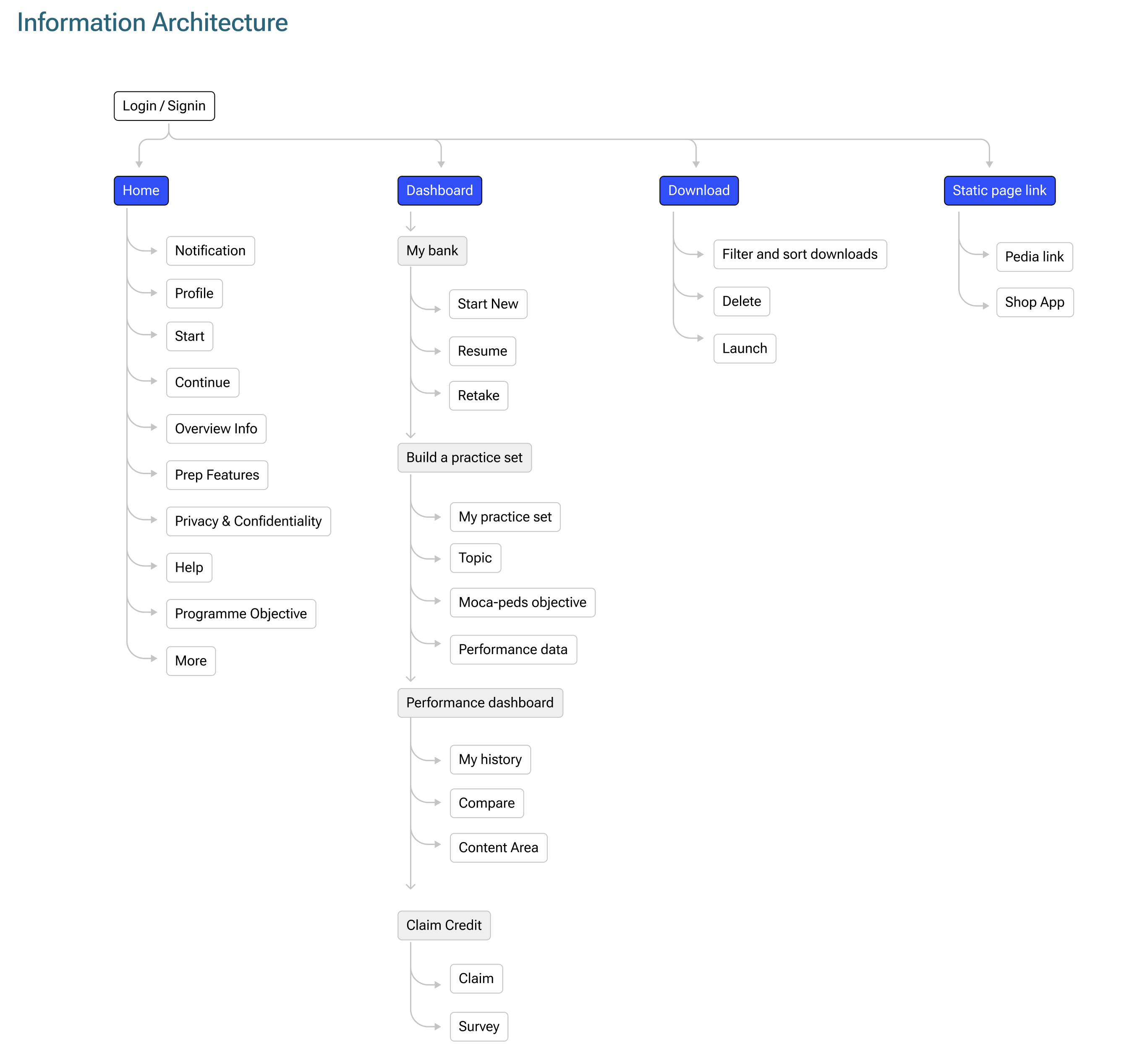
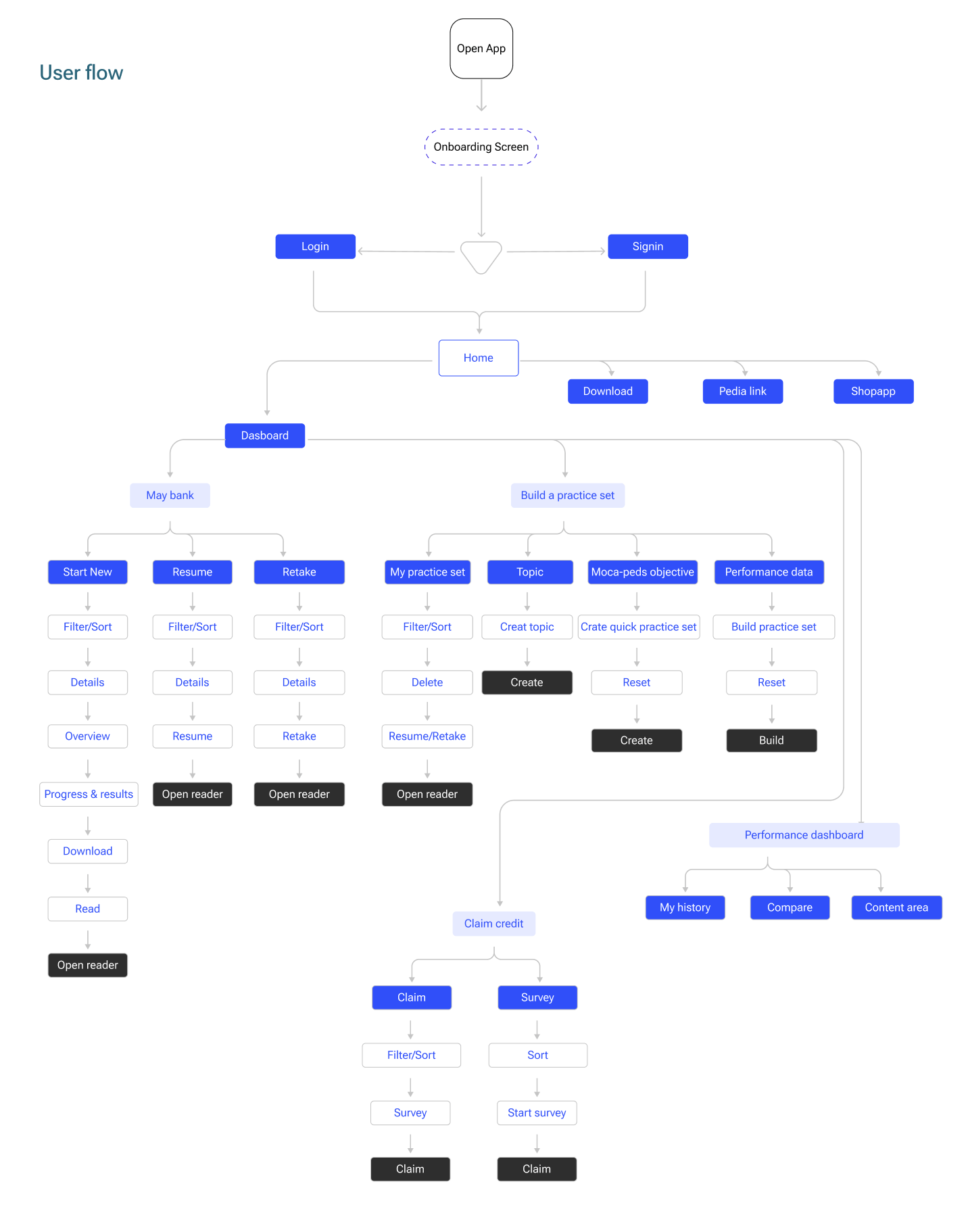
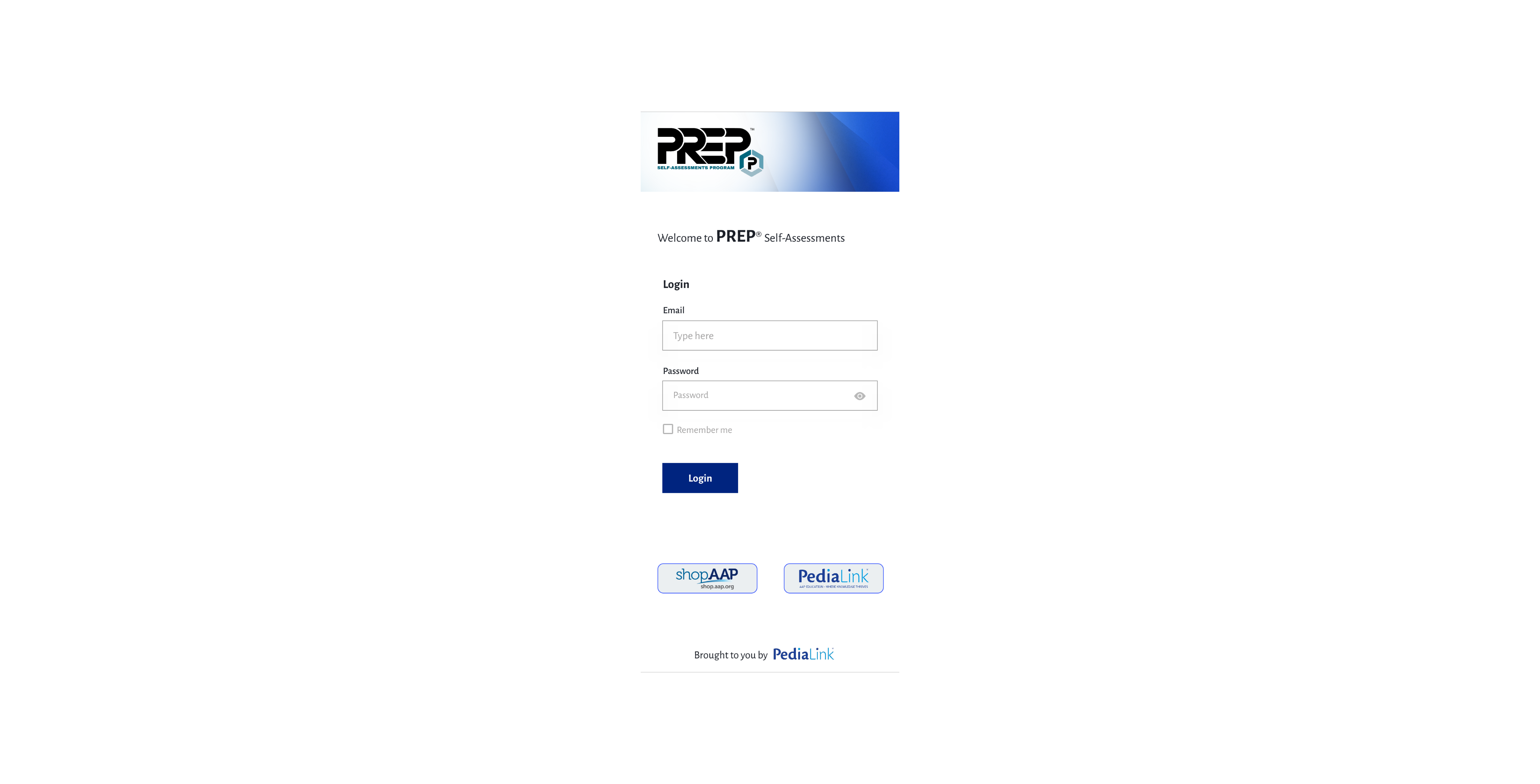
Splash & Login screens
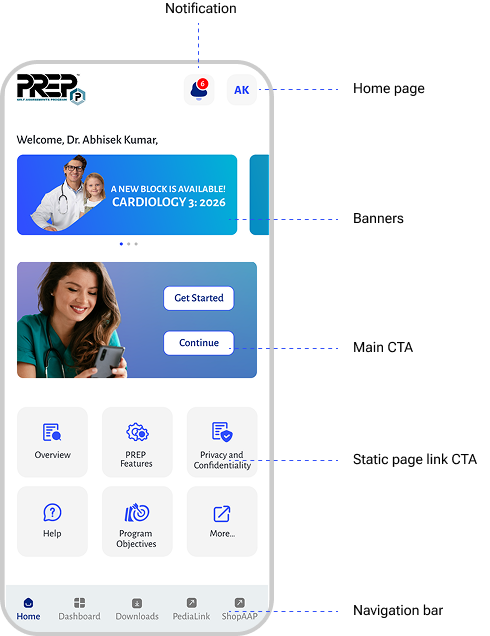
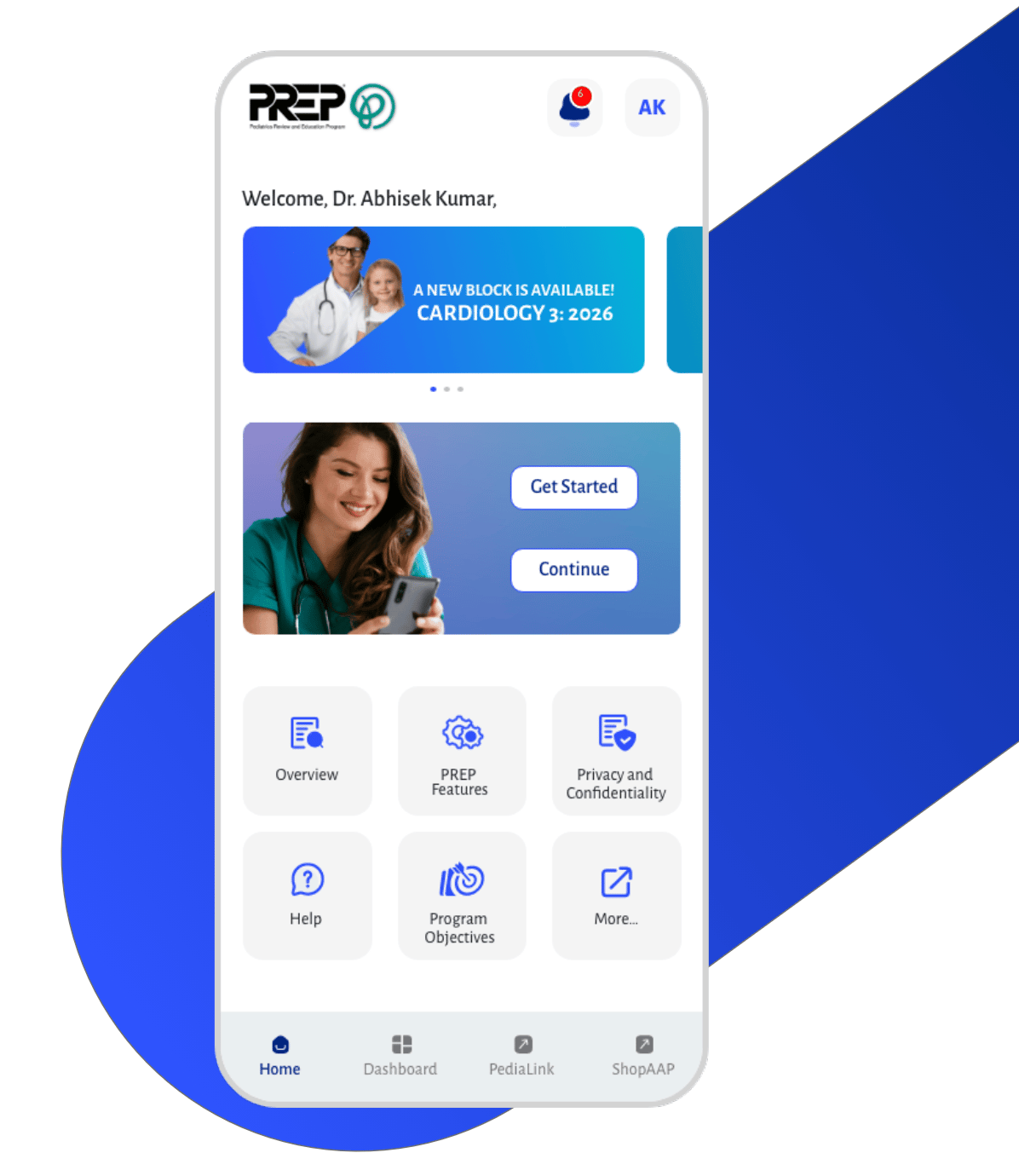
Home page
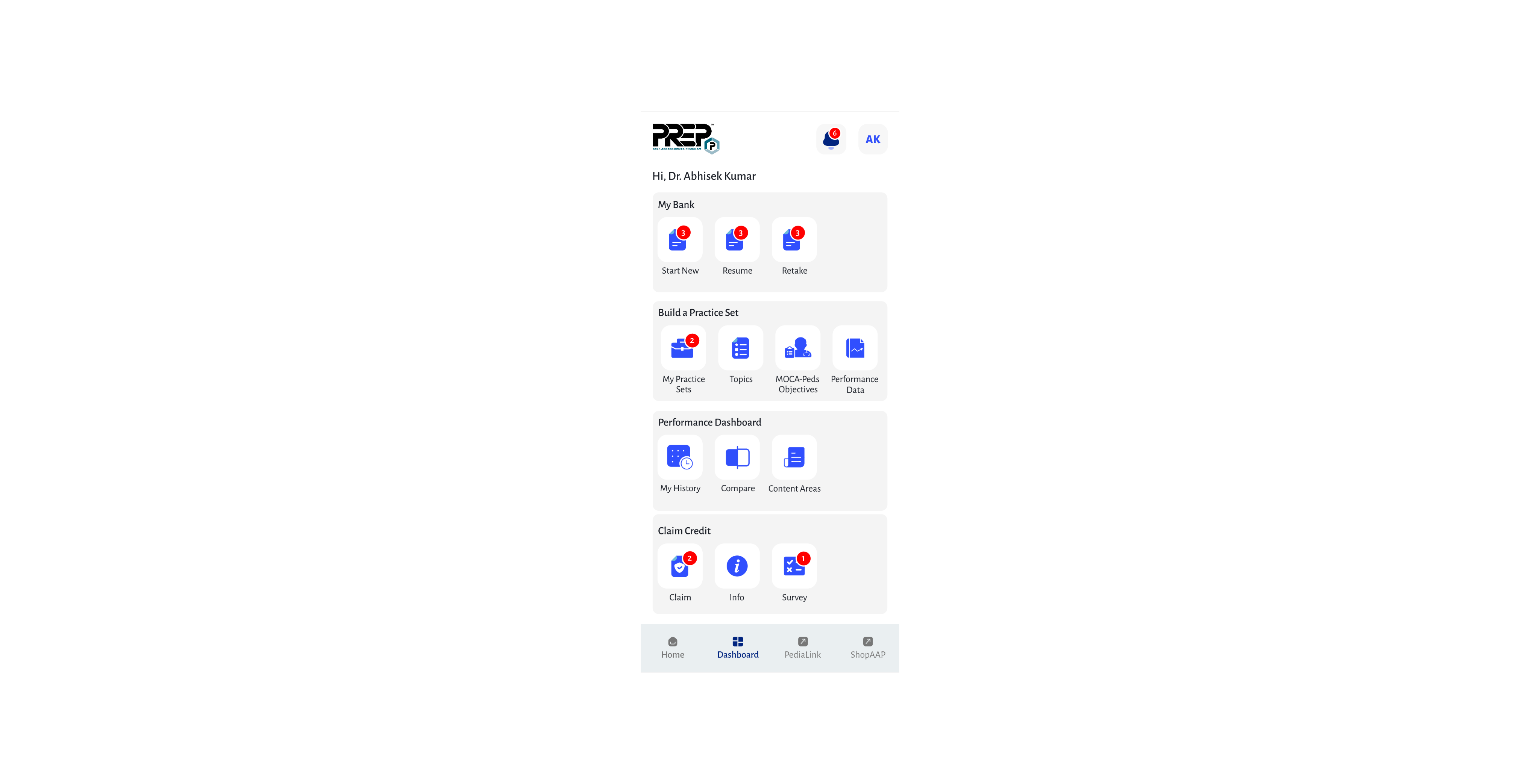
Dashboard
My bank/Start new
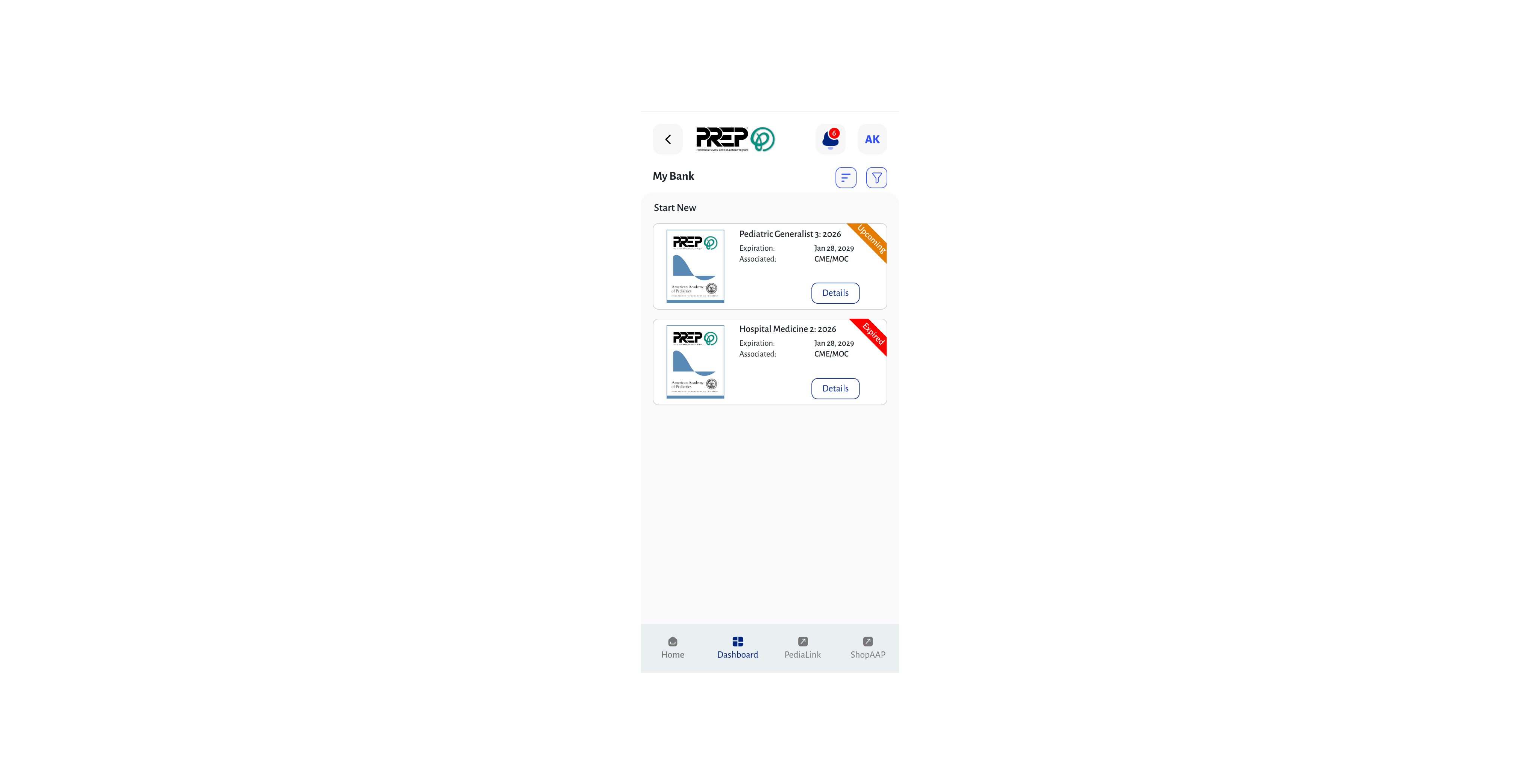
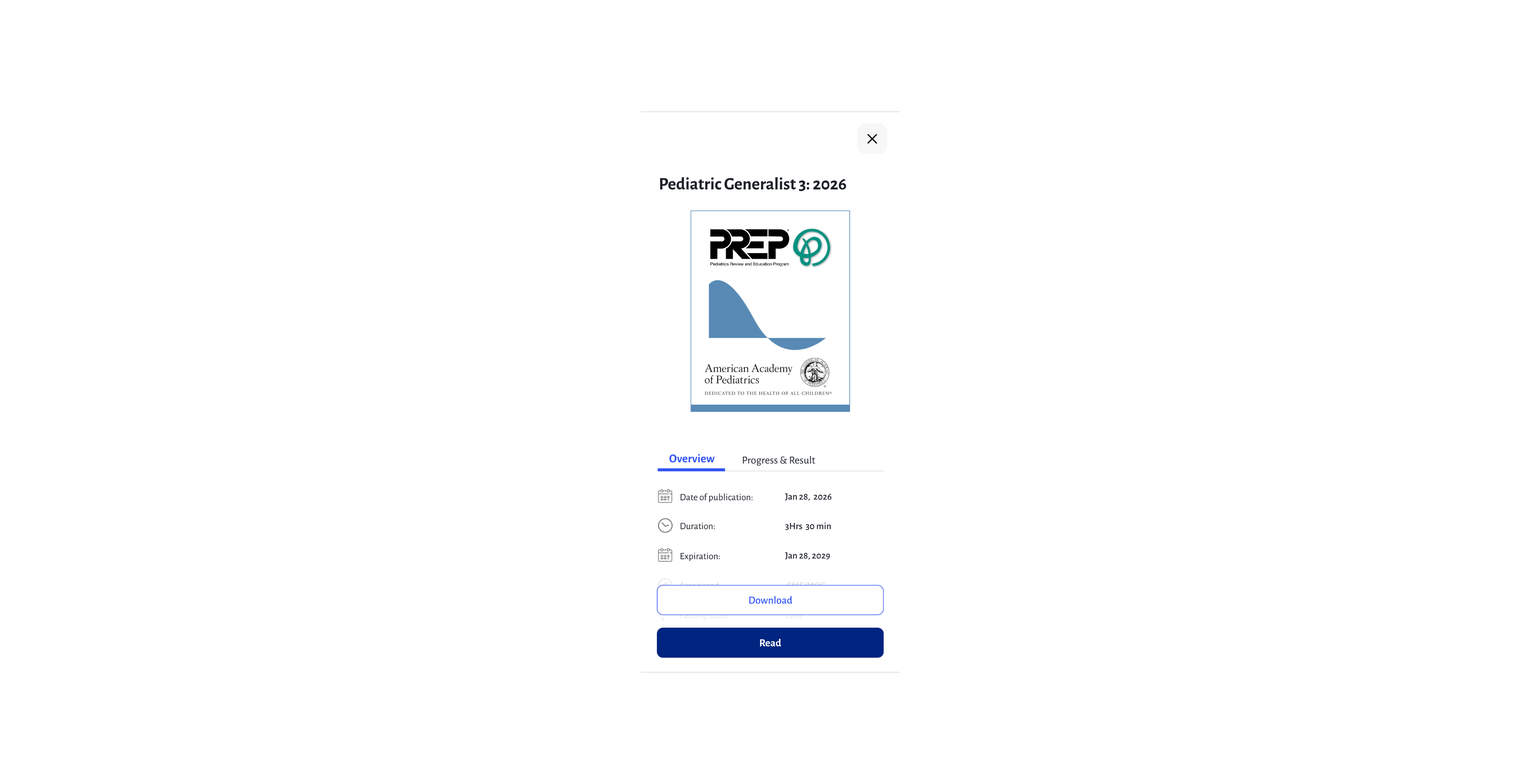
My bank/Reader
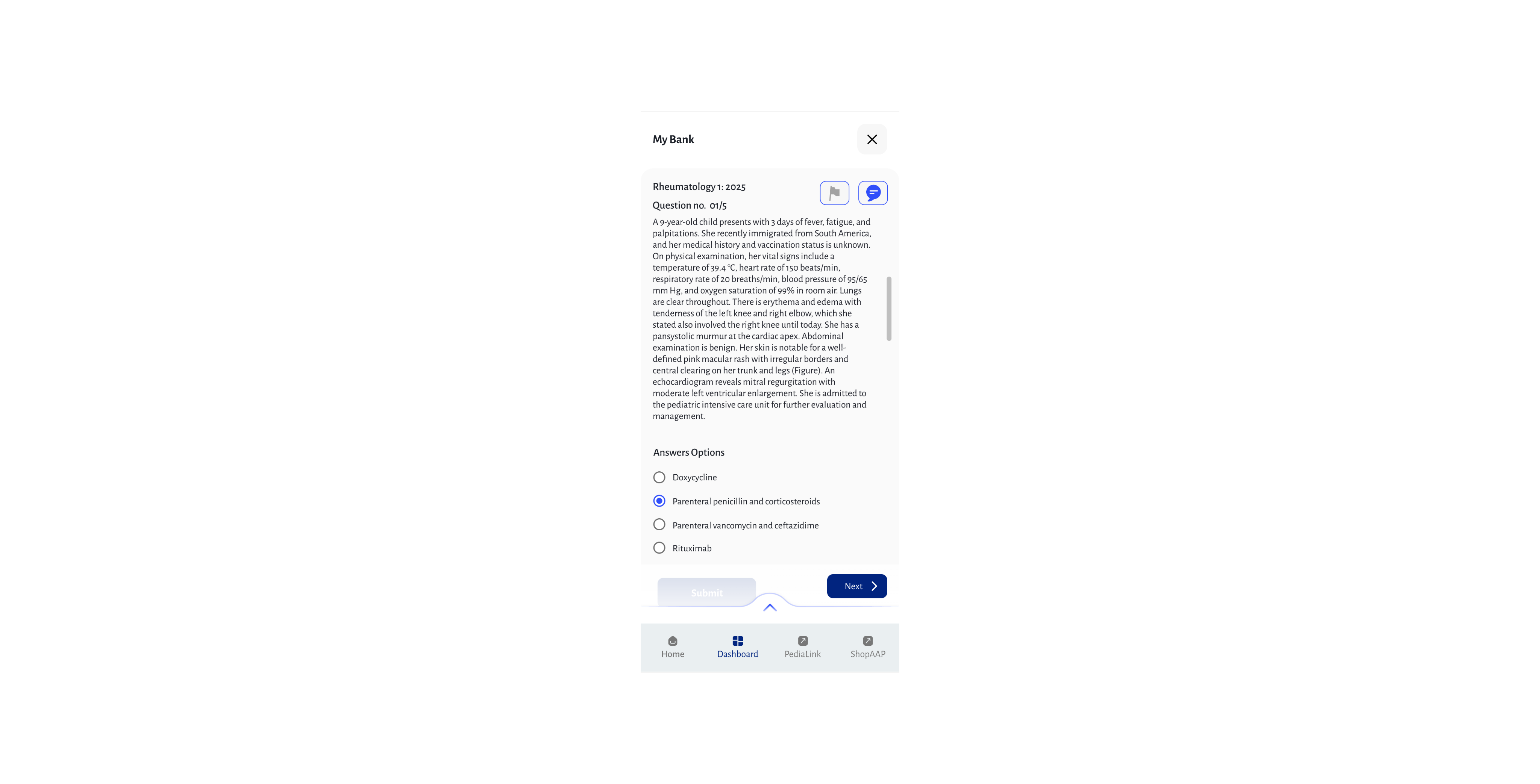
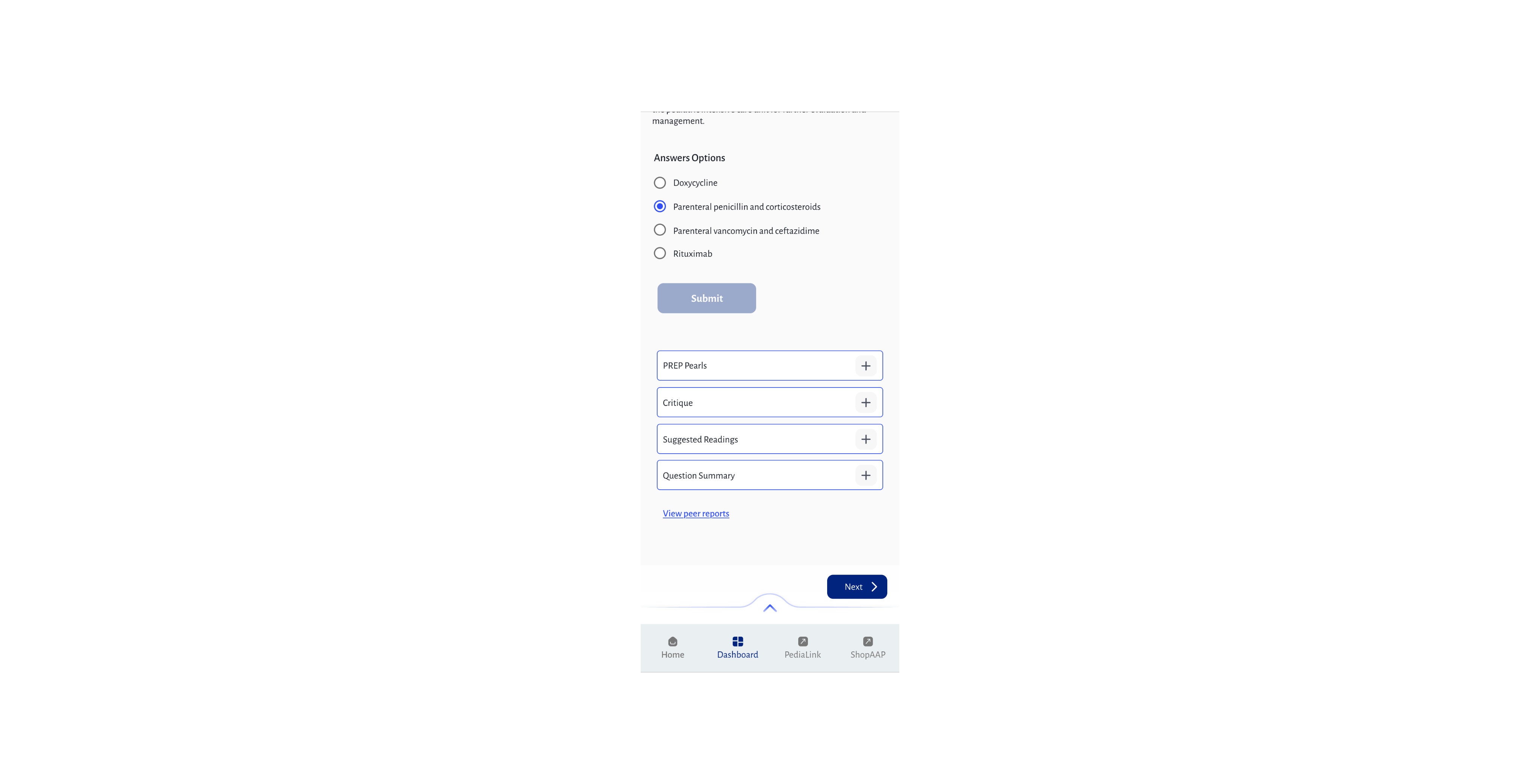
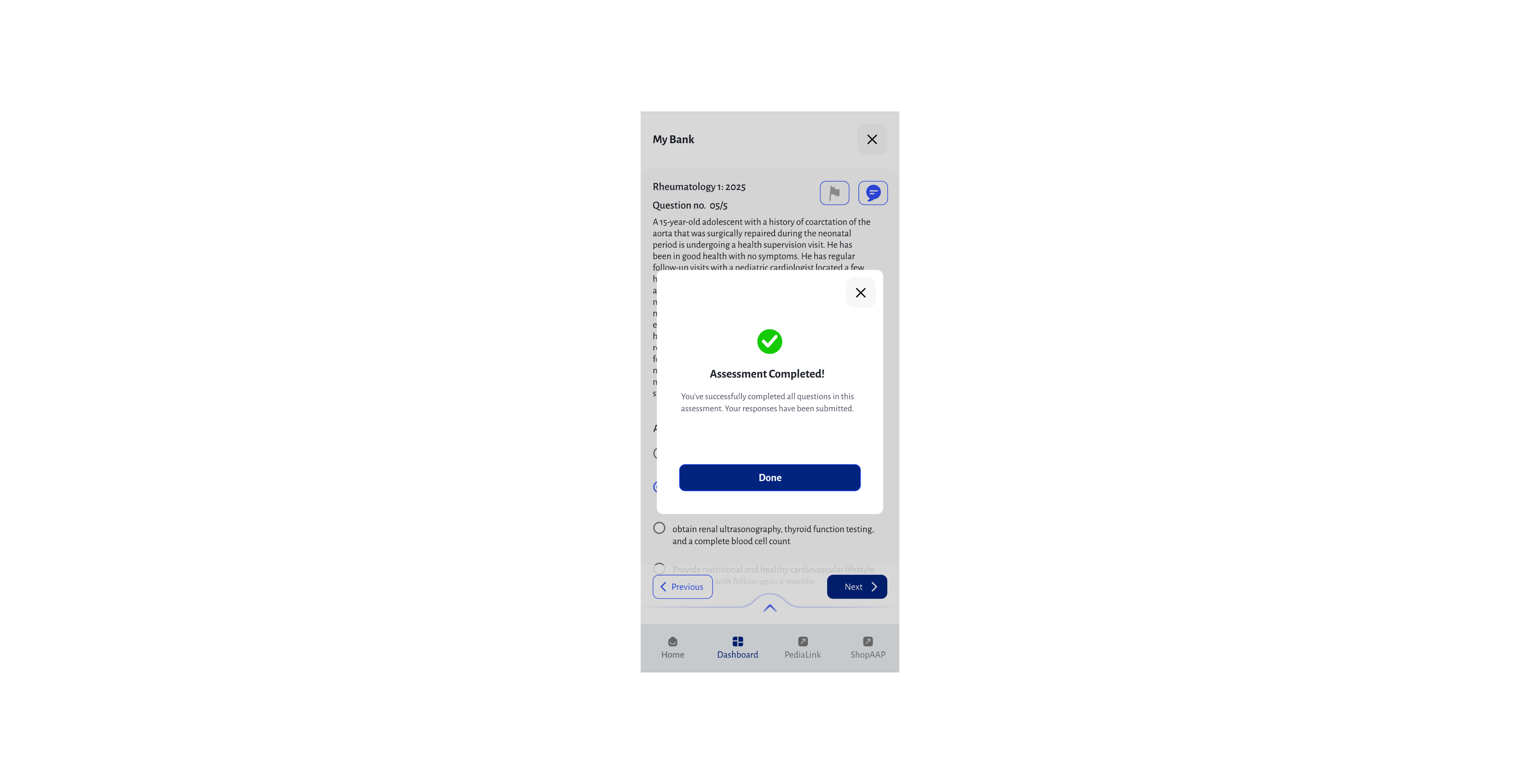
Build a practice set
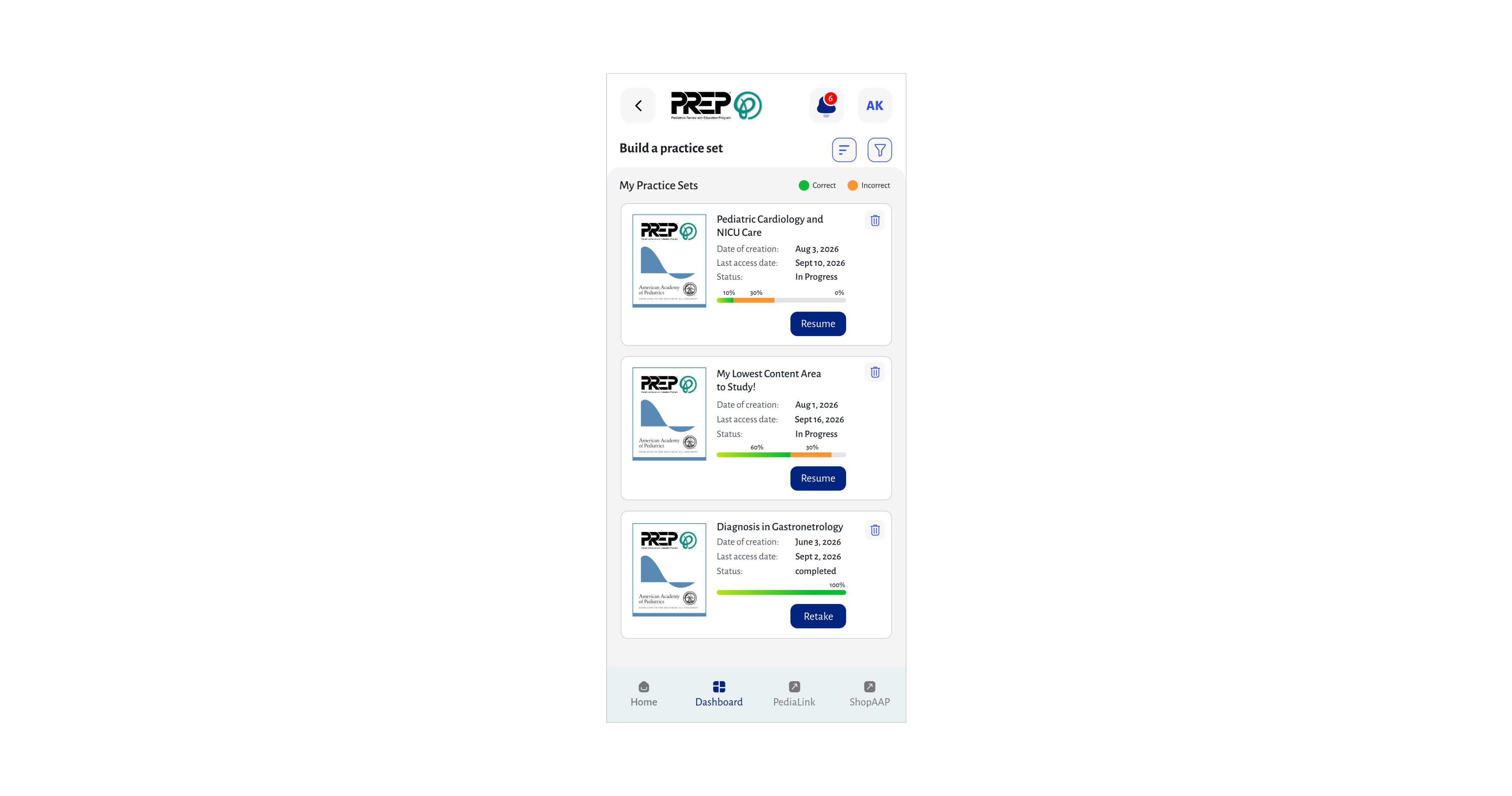
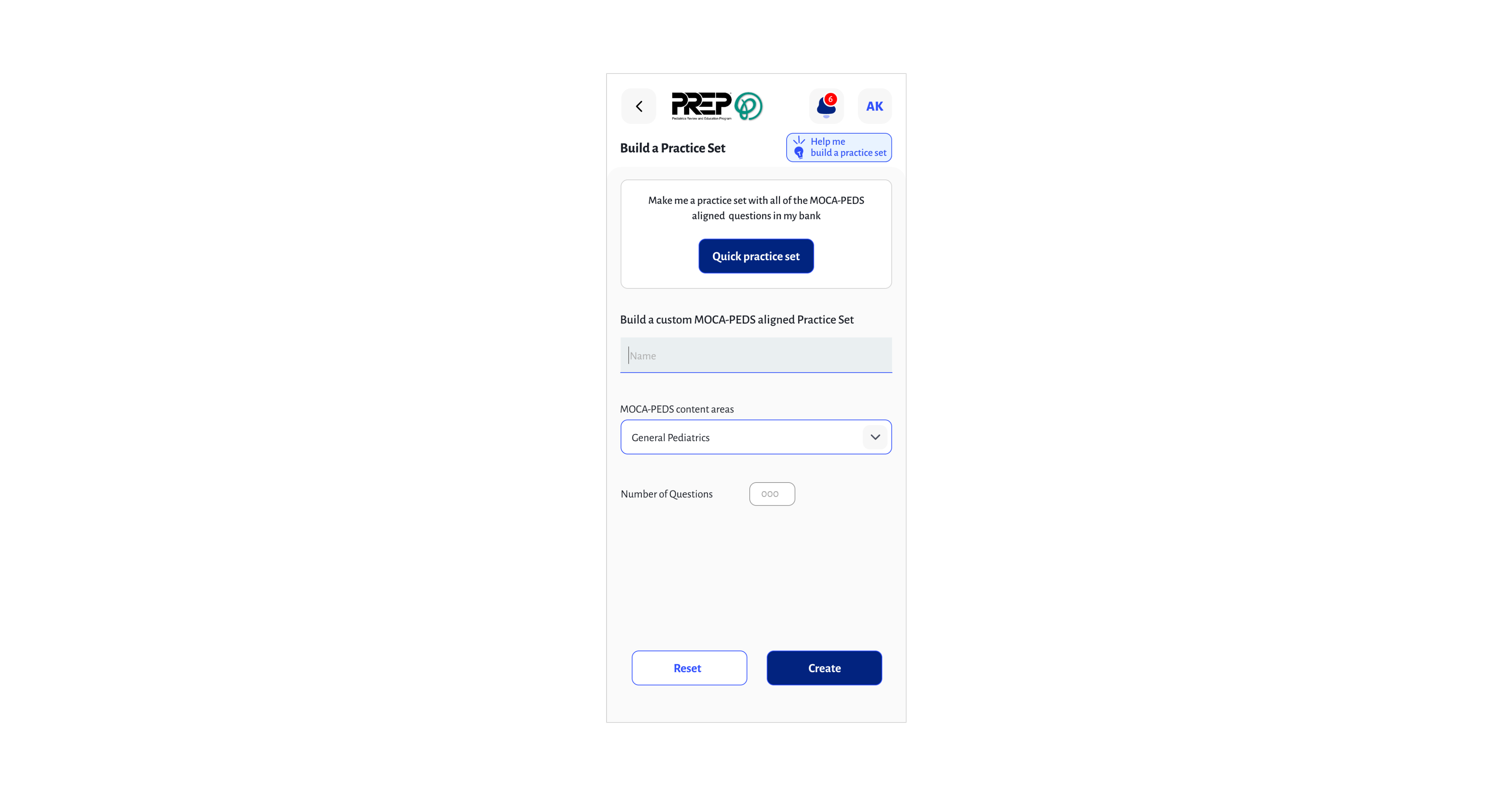
Performance dashboard
My History
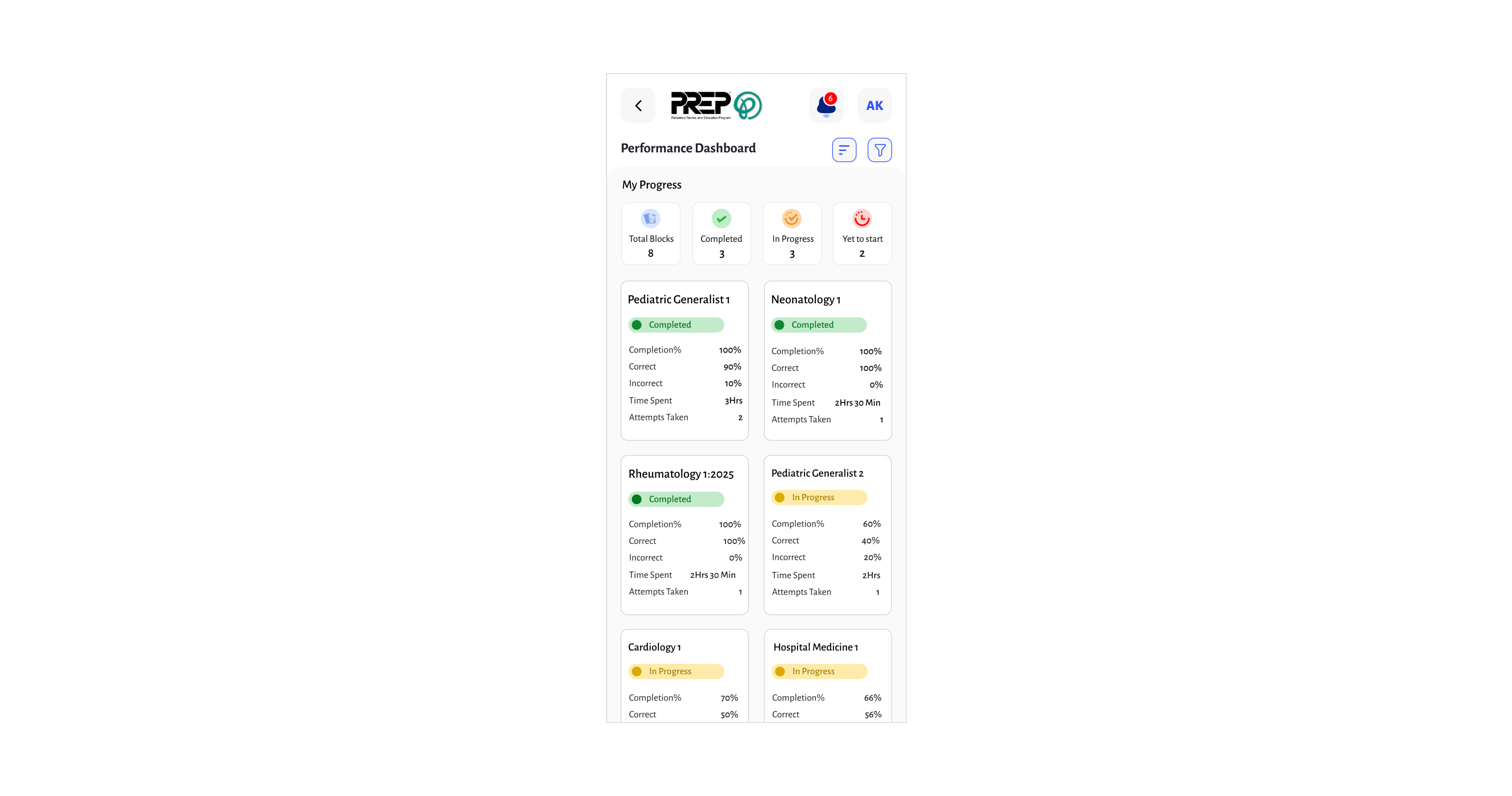
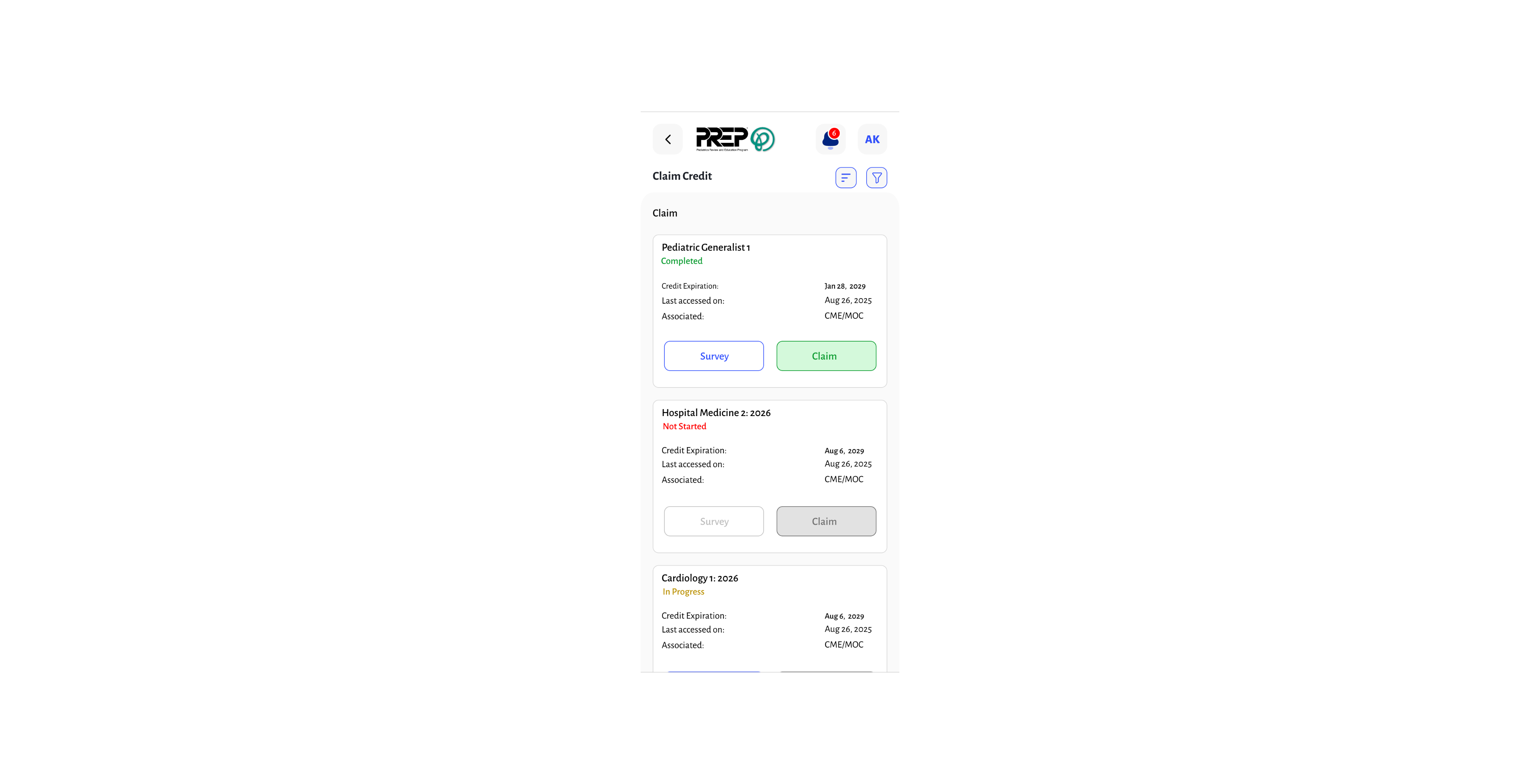
Performance dashboard
My History
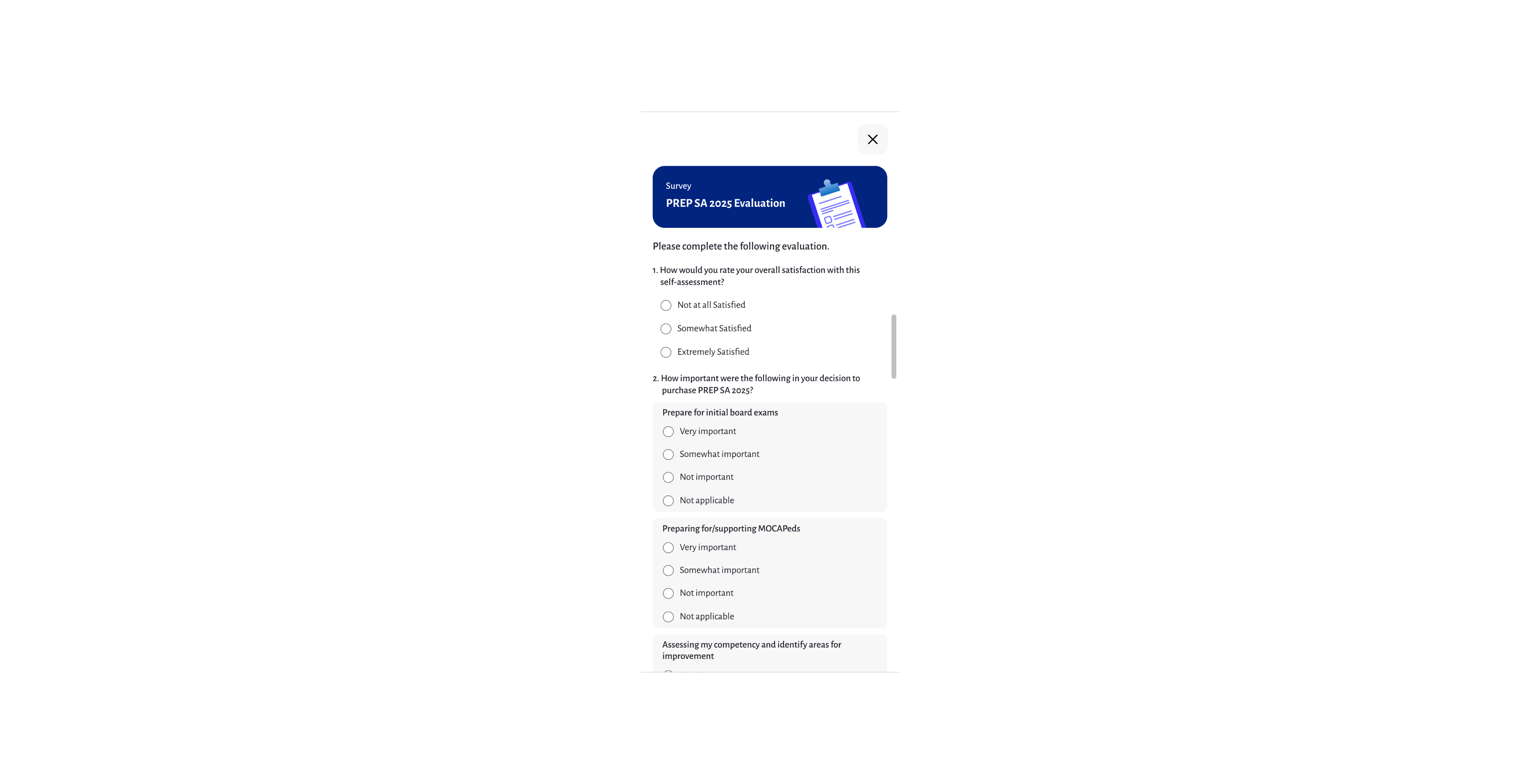
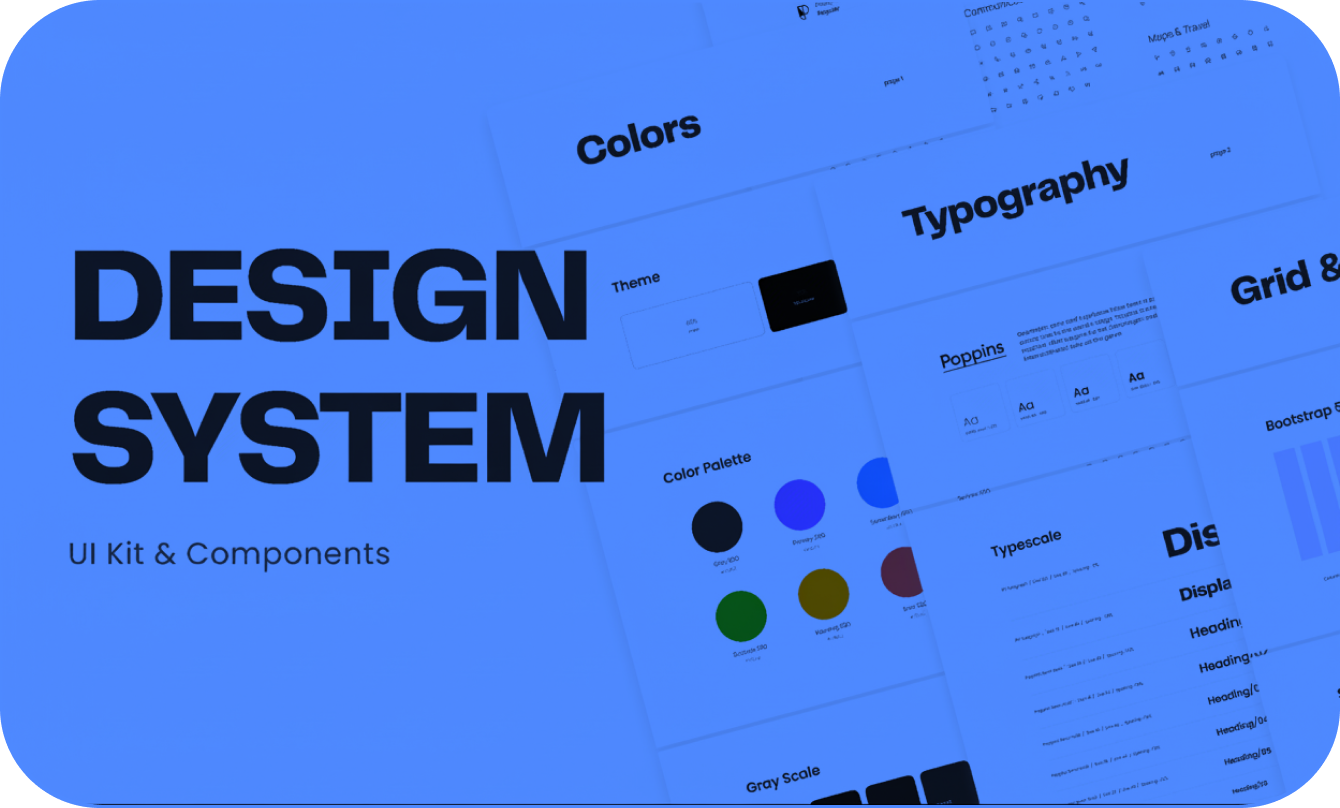
Design Ststem

Mobile Application Design
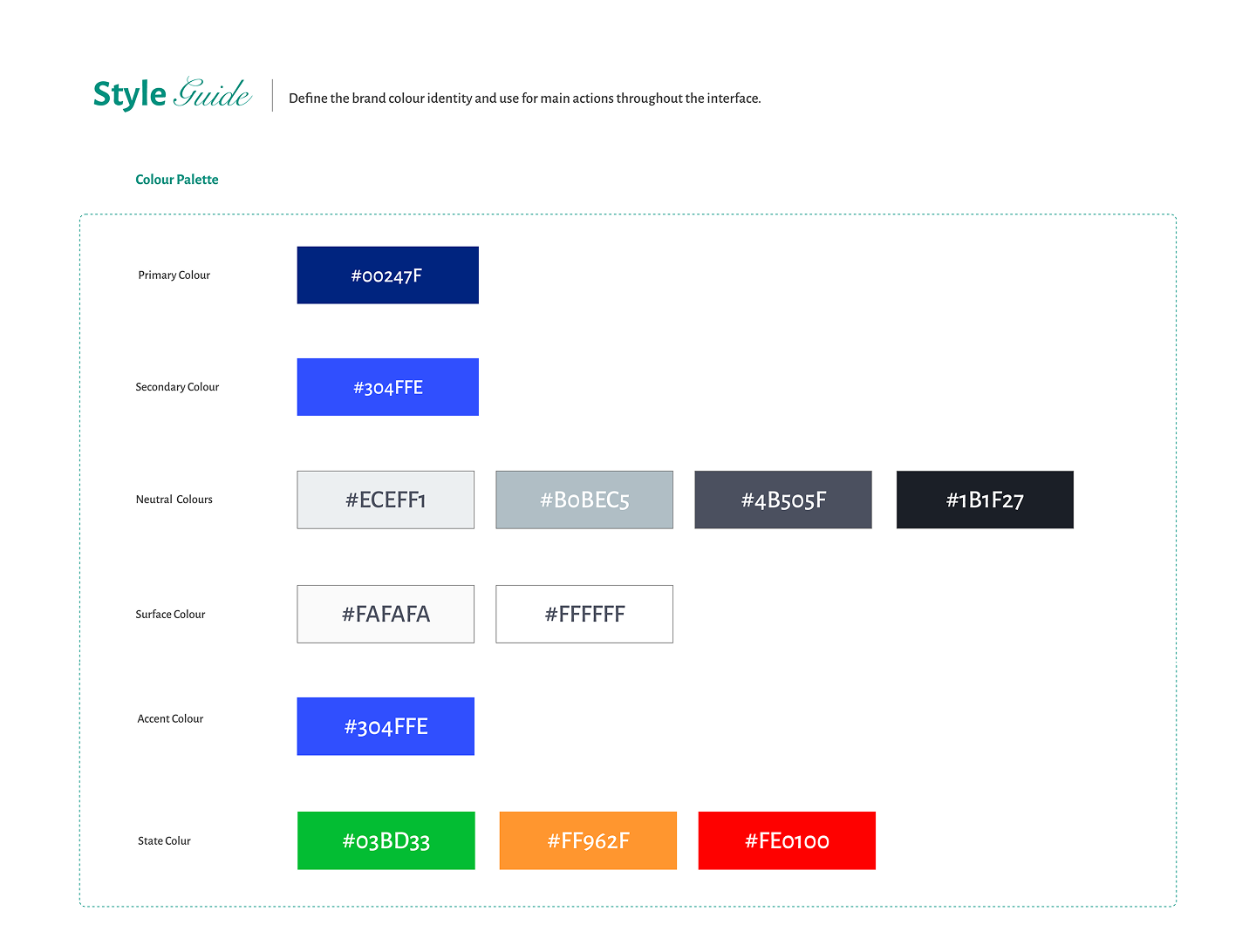
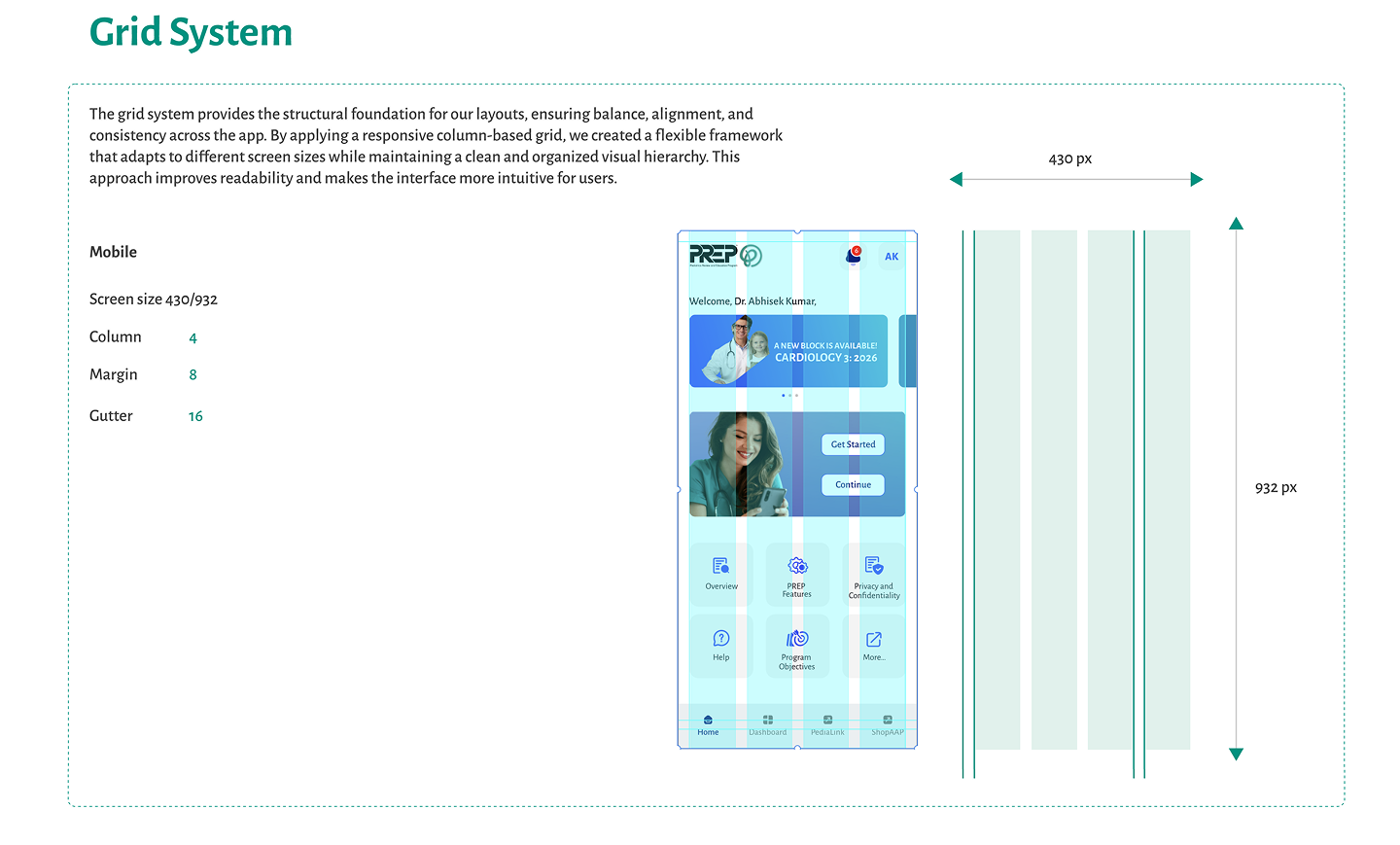
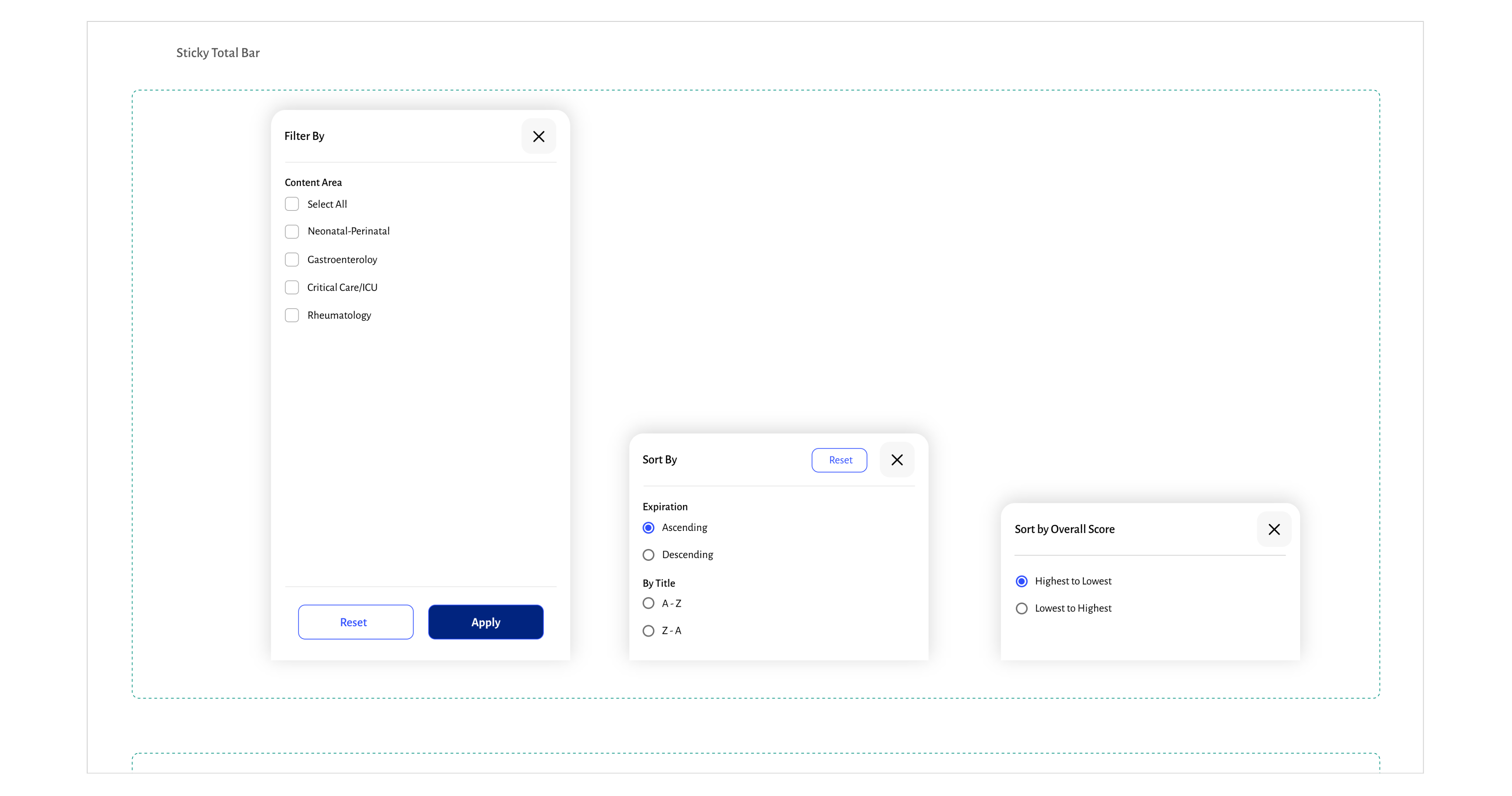
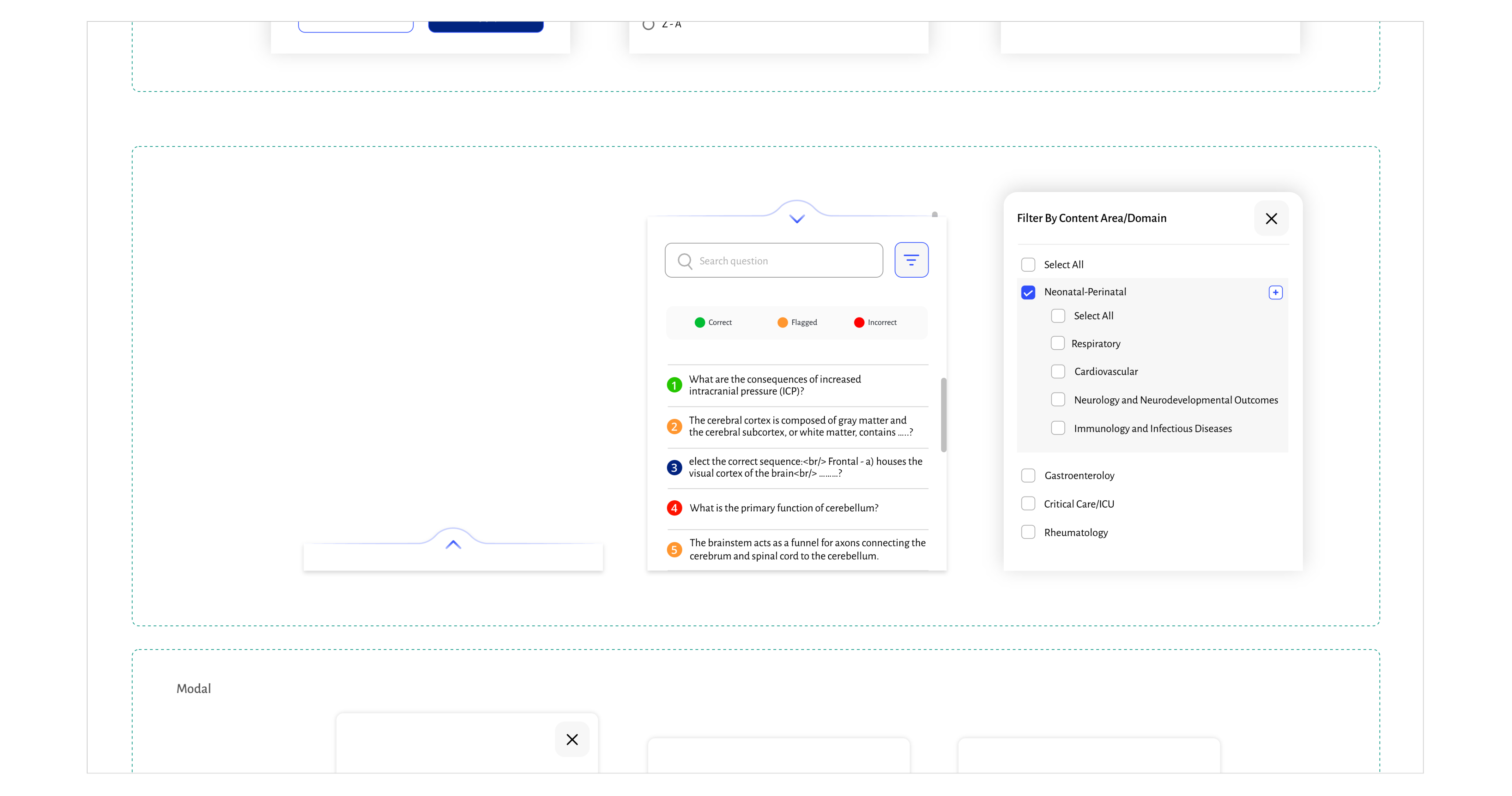
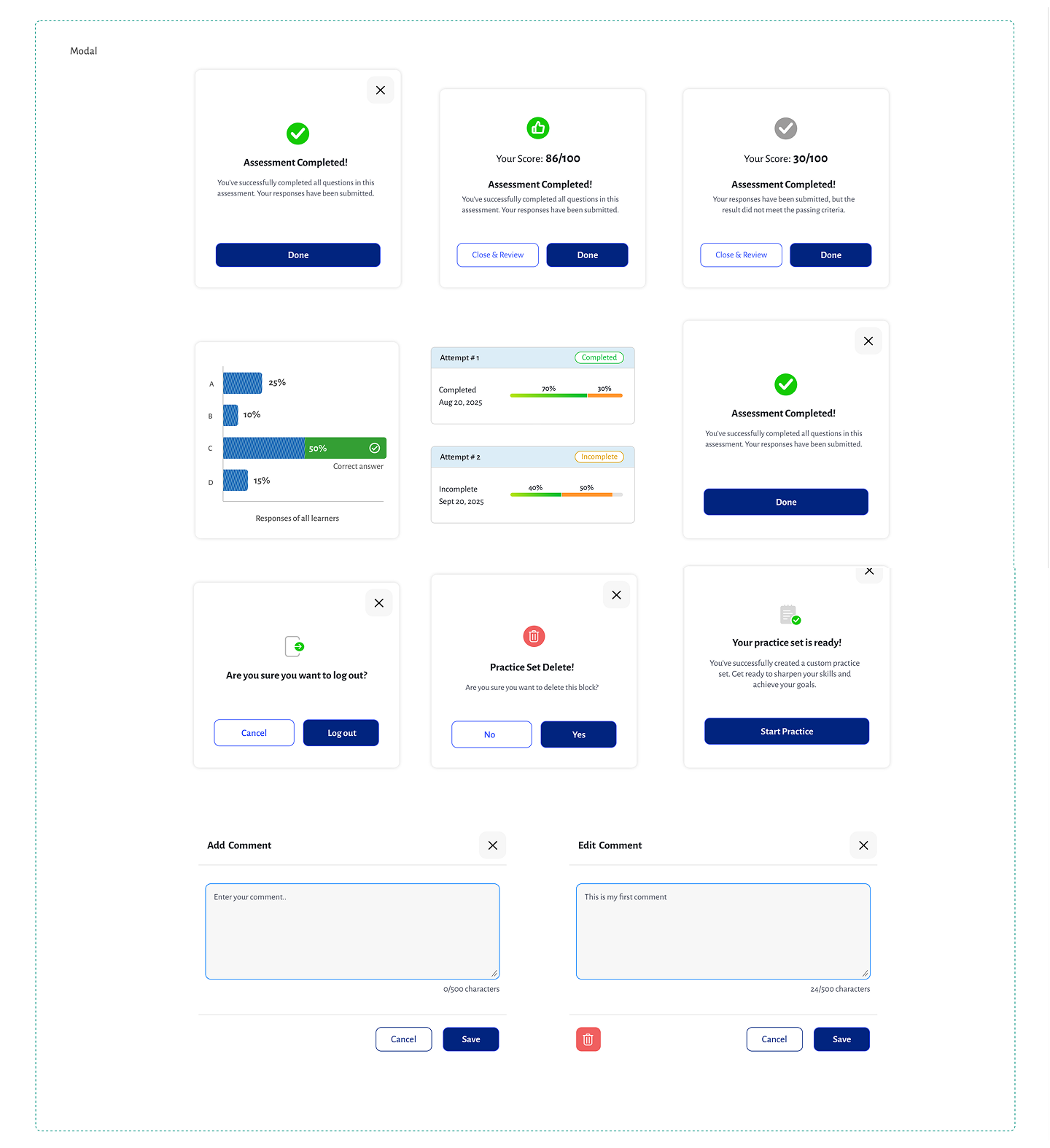
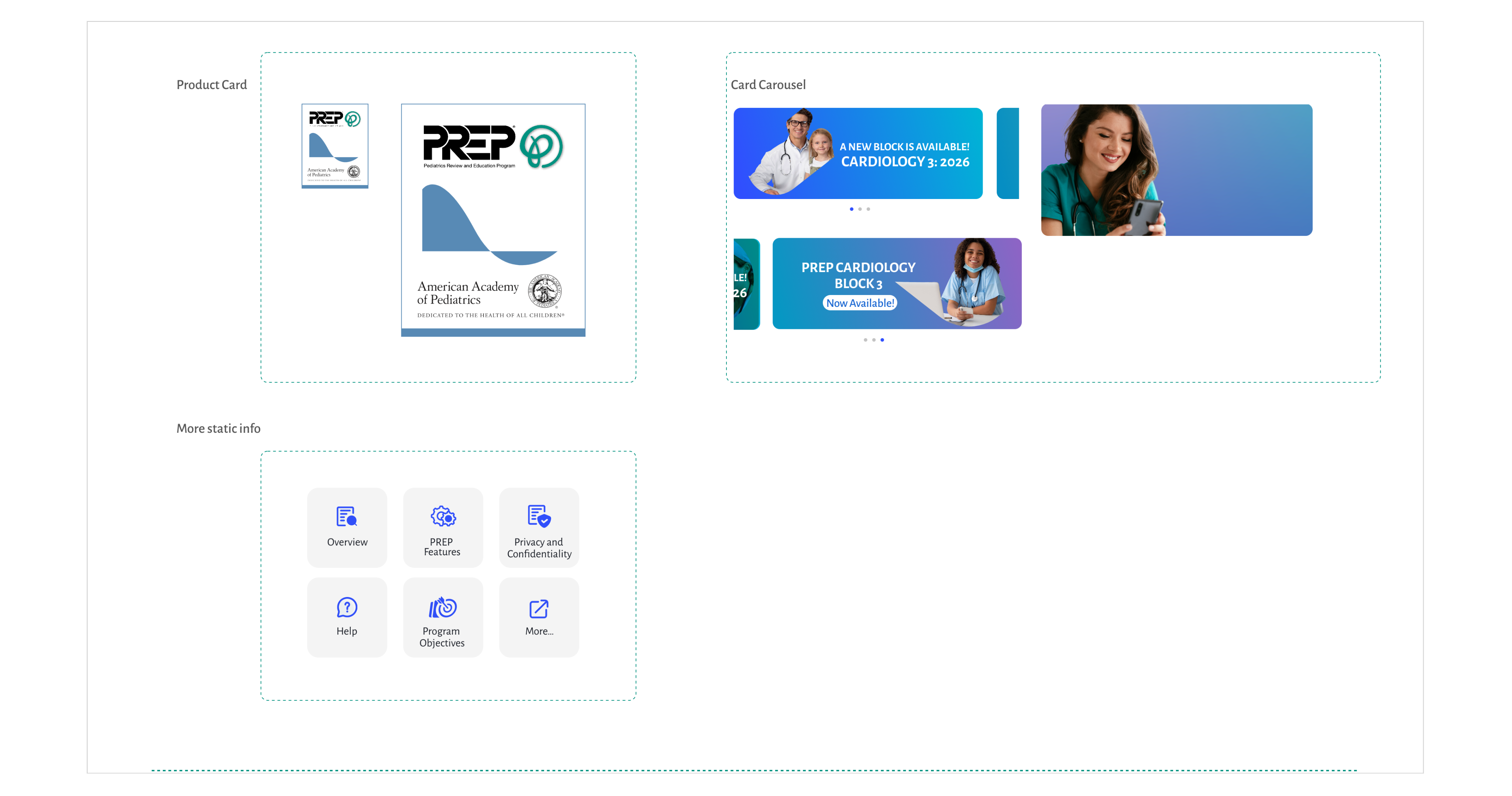
A structured system that defines colour, typography, components and interaction. It ensures consistency, scalability, and seamless user experience across the entire mobile app.
UI Kit

Color Palette

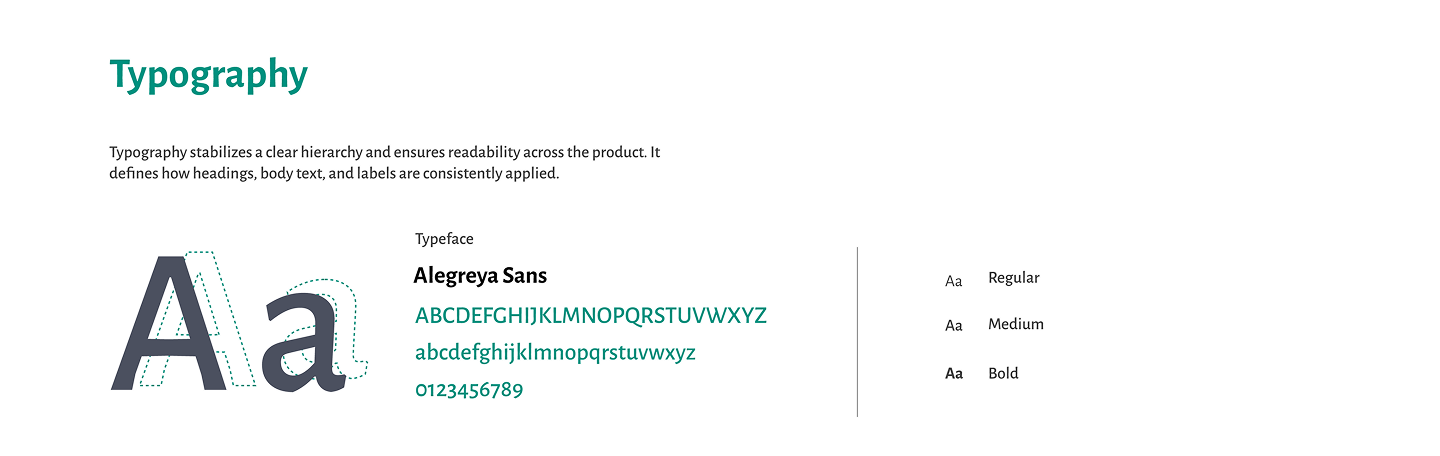
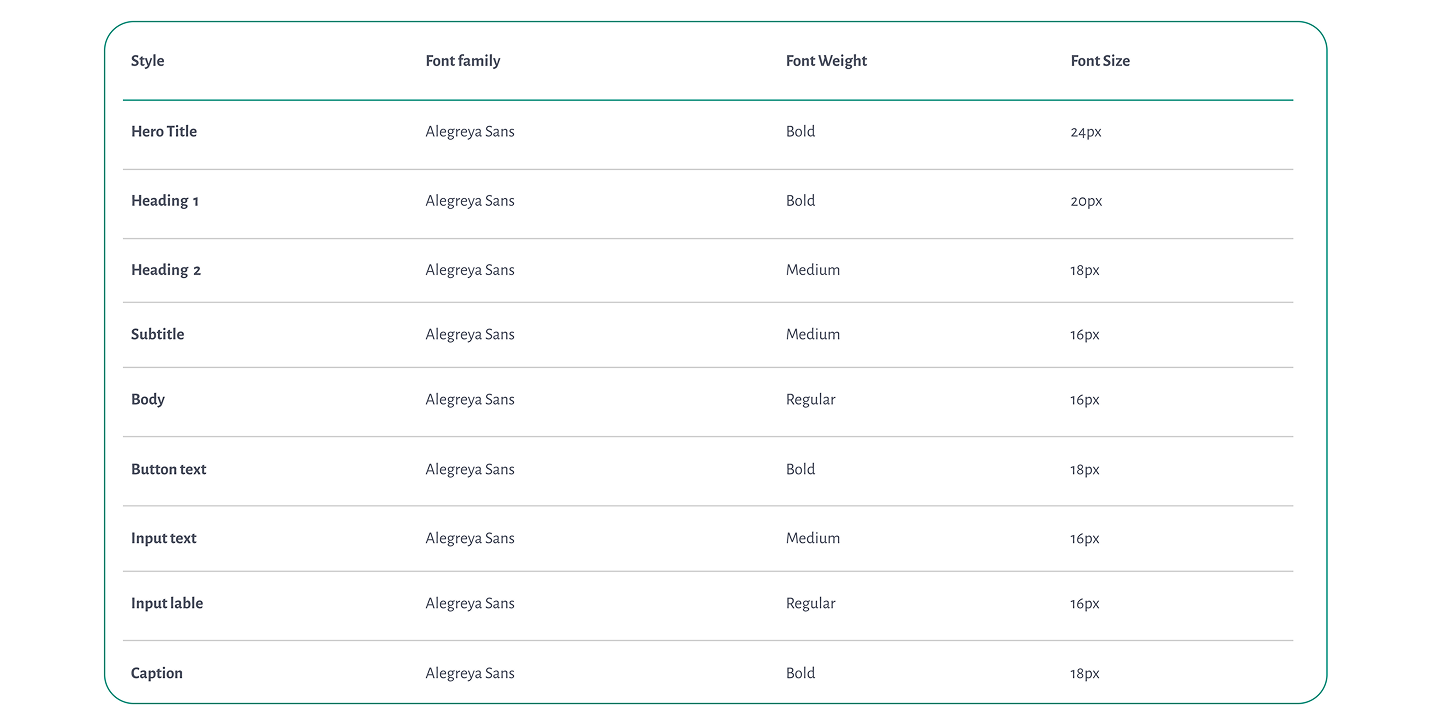
Typography

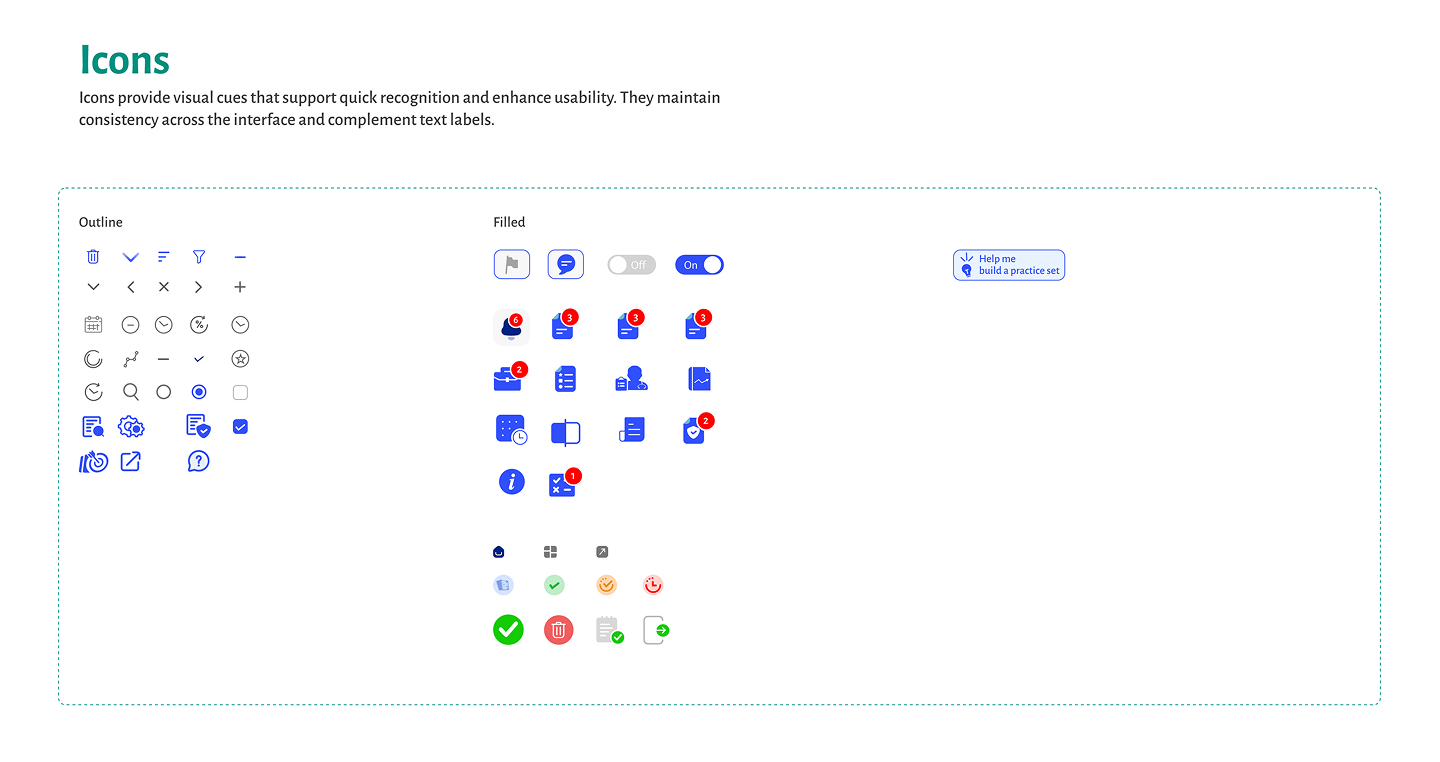
Icons

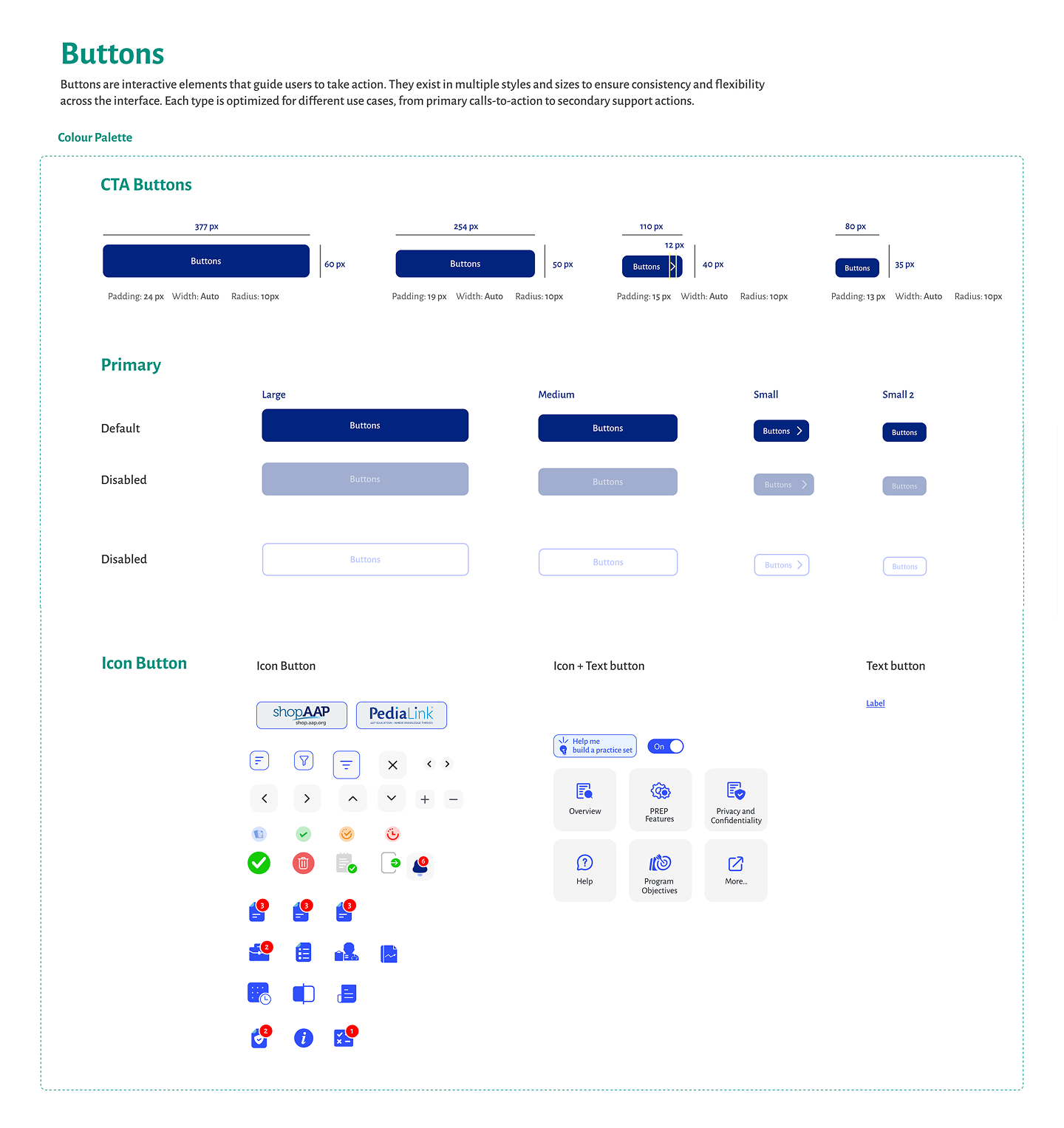
Buttons

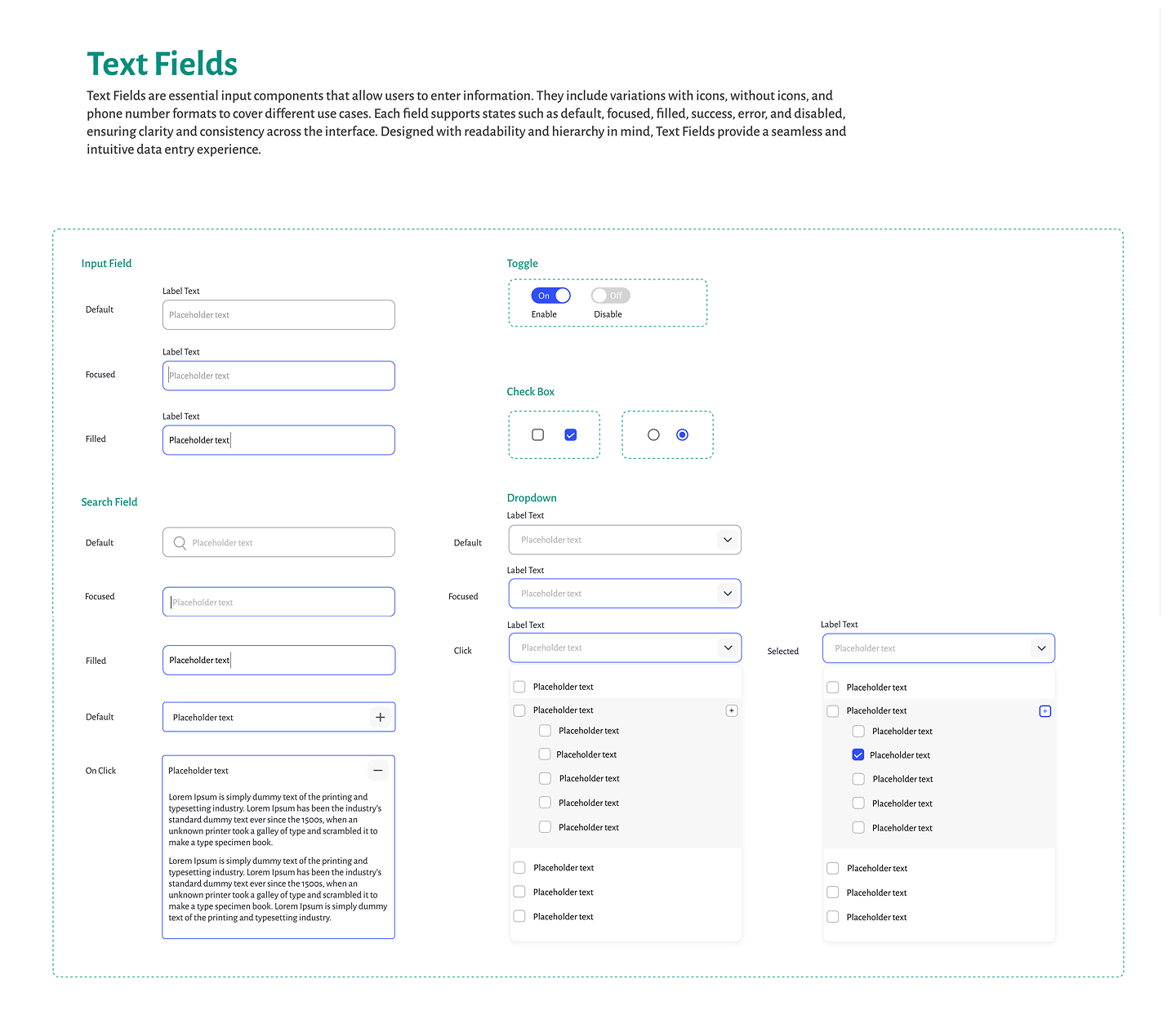
Input

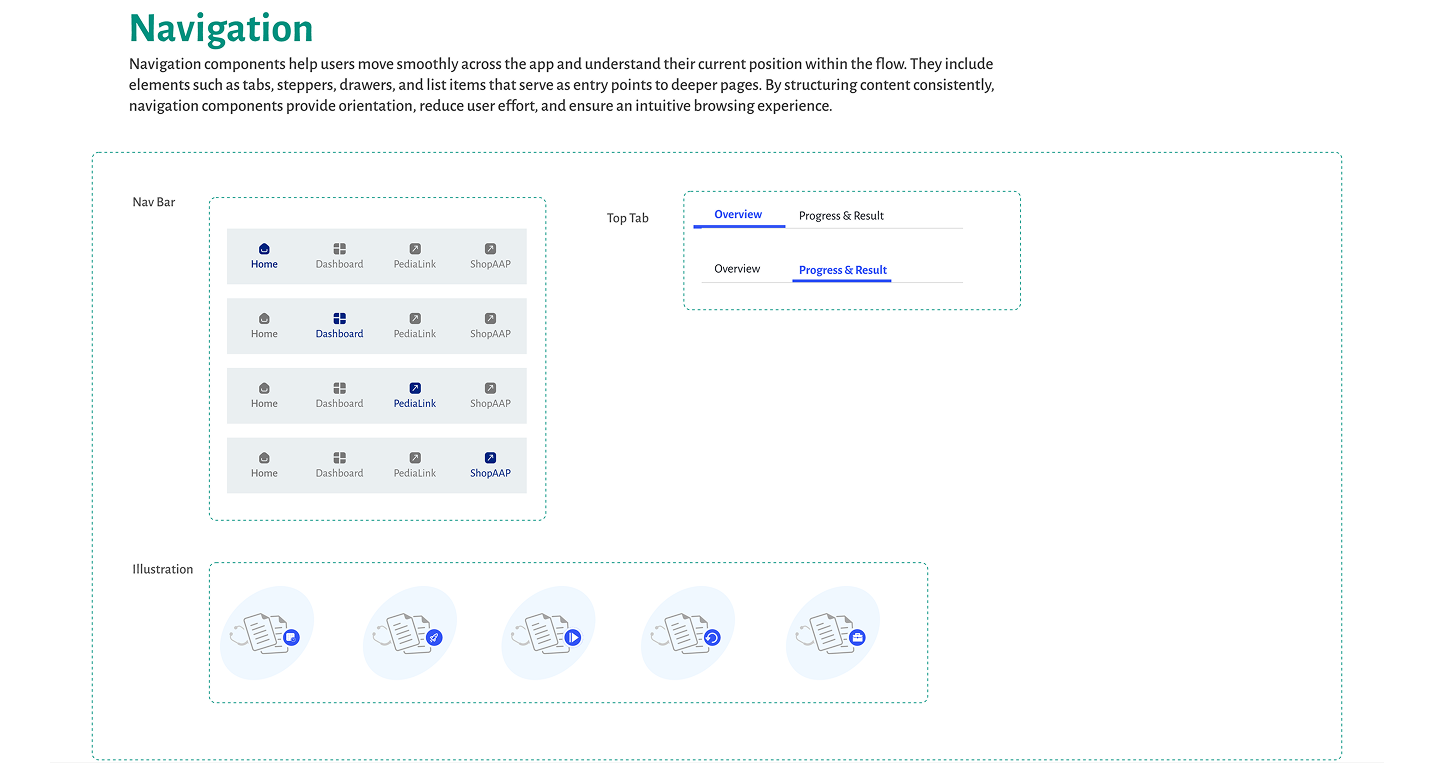
Navigation

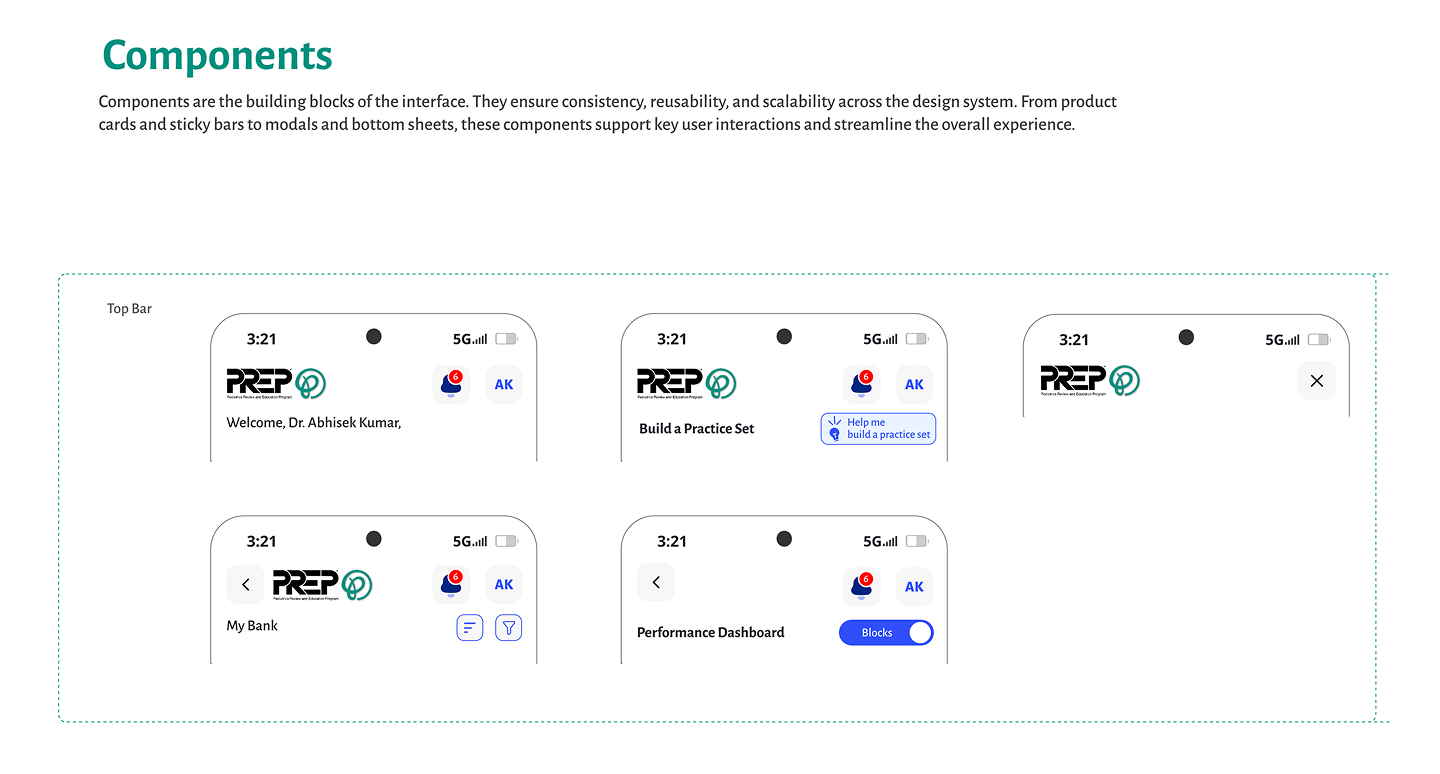
Components
CSDN.DESIGN
© 2026 CSDN Design. All rights reserved.

+91 9304898229

cs@csdn.design

Instagrame
Dribbble
Behance
Youtube